
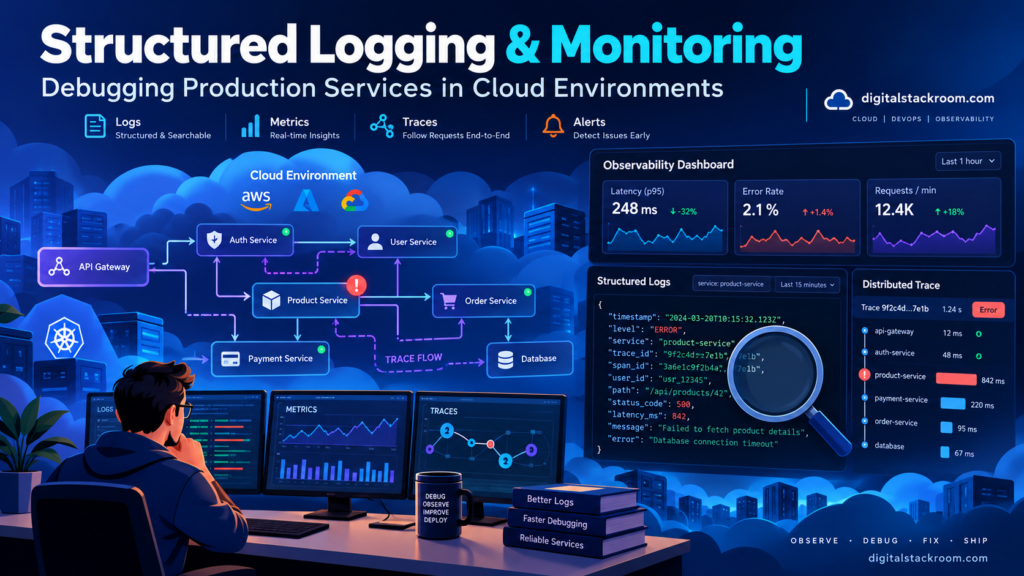
A production incident rarely begins with a useful message such as:
The database pool became saturated at 14:07 because three slow queries held connections for 18 seconds.
What you usually get is something less helpful.
500 Internal Server ErrorOr:
Request timeoutOr a message from someone saying:
The API was slow for a few minutes. Can you check?
At that point, the difference between a service that is easy to operate and one that takes hours to debug usually comes down to observability.
If the application only writes logs such as:
Request received
Processing data
Something went wrong
you have technically implemented logging.
You have not implemented a useful production debugging system.
A better log tells you:
{
  "severity": "ERROR",
  "message": "Order processing failed",
  "service": "orders-api",
  "environment": "production",
  "requestId": "req_8a21c4",
  "orderId": "ord_1942",
  "operation": "create_order",
  "errorType": "DatabaseTimeout",
  "durationMs": 5038
}
Now you can answer real operational questions.
Which service failed?
Which request caused it?
Was the error isolated to one revision?
Did all requests fail or only one operation?
Was the database slow?
Did the failure start immediately after a deployment?
Could the same request be traced through several services?
Structured logging turns log lines into queryable operational data.
But logging alone is still not enough.
A production observability stack normally combines:
Logs
+
Metrics
+
Traces
+
Alerts
+
Dashboards
+
Service-level objectives
Each signal answers a different kind of question.
This guide explains how to design structured logs, correlate requests across cloud services, monitor latency and errors, build useful alerts, avoid logging sensitive information, debug Cloud Run applications, and move from reactive log searching toward a production observability architecture.
Table of Contents
Logging, Monitoring, and Observability Are Not the Same Thing
These terms are often used interchangeably.
They solve related but different problems.
Logging
Logs describe individual events.
For example:
User authentication failed.or:
Database query completed in 842 ms.Logs are useful when you need detailed evidence about what happened.
Metrics
Metrics summarize numerical behavior over time.
Examples:
requests per second

5xx error rate

p95 request latency

database connection utilization

queue depth

memory usage
Metrics are excellent for answering:
Is something wrong right now?
Traces
Traces follow a request or operation across multiple components.
For example:
Browser
   ↓
API Gateway
   ↓
Orders API
   ↓
Payment Service
   ↓
PostgreSQL
A distributed trace can show that the entire request took:
2.4 secondsand:
2.1 secondswere spent waiting on the payment service.
Alerts
Alerts decide:
Is this condition important enough to notify someone?
Observability
Observability is the larger ability to understand a system’s internal behavior from the telemetry it produces.
A useful mental model is:
Metrics
→ Something is wrong.

Traces
→ Where is the time/failure going?

Logs
→ What exactly happened?
These signals complement one another.
Why Plain Text Logs Become Painful in Production
Consider:
Payment failed for order 923If you later want to find every payment failure for a particular customer, environment, or service revision, the logging platform has to search text.
Now compare:
{
  "severity": "ERROR",
  "message": "Payment failed",
  "orderId": "923",
  "paymentProvider": "provider-a",
  "service": "checkout-api",
  "environment": "production",
  "errorType": "ProviderTimeout"
}
You can query:
severity = ERRORor:
paymentProvider = provider-aor:
errorType = ProviderTimeoutwithout parsing human-written sentences.
That is the main benefit of structured logging.
What Is Structured Logging?
Structured logging means each log record follows a machine-readable structure, usually JSON.
Instead of:
2026-10-24 ERROR Order 1001 failed because payment timed outwrite:
{
  "severity": "ERROR",
  "message": "Order processing failed",
  "orderId": "1001",
  "errorType": "PaymentTimeout"
}
Cloud logging platforms can then index and filter those fields.
Google Cloud Logging stores structured JSON entries in:
jsonPayloadrather than placing everything into:
textPayloadThis makes fields individually queryable.
Design a Stable Logging Schema
Structured logging becomes much more useful when services use predictable field names.
For example:
{
  "severity": "INFO",
  "message": "Request completed",
  "service": "orders-api",
  "environment": "production",
  "requestId": "req_482",
  "operation": "get_order",
  "httpMethod": "GET",
  "route": "/api/orders/:id",
  "statusCode": 200,
  "durationMs": 84
}
A basic schema might include:
| Field | Purpose |
|---|---|
severity | Log importance |
message | Human-readable summary |
service | Service producing log |
environment | Production/staging/etc. |
requestId | Request correlation |
operation | Logical business operation |
statusCode | HTTP outcome |
durationMs | Duration |
errorType | Stable error category |
resourceId | Relevant application object |
revision | Deployed application version |
Avoid inventing different names in every service.
For example:
request_id
requestId
reqId
request-id
should not all mean the same thing across four services.
Consistency is more valuable than personal naming preference.
Use Log Levels Deliberately
Typical severity levels include:
DEBUG
INFO
NOTICE
WARNING
ERROR
CRITICAL
Use them according to operational importance.
DEBUG
Detailed diagnostic information.
Examples:
Calculated pagination cursor.

Cache lookup returned miss.
Usually disabled or sampled heavily in production.
INFO
Normal operational events.
Order created.

Job completed.

Request processed.
WARNING
Unexpected situation, but the request/system can continue.
External API retry required.

Database pool utilization above 80%.
ERROR
The operation failed.
Payment processing failed.

Database transaction rolled back.
CRITICAL
A severe condition requiring immediate attention.
Service cannot initialize signing keys.

Primary data store unavailable.
If every log is:
ERRORthen ERROR no longer means anything.
Structured Logging in Node.js
You can use a logging framework such as Pino or Winston.
You can also begin with a small structured logger that writes JSON to standard output.
For example:
function log(
  severity,
  message,
  fields = {}
) {

  const entry = {
    severity,
    message,
    service:
      process.env.SERVICE_NAME ||
      "unknown-service",

    environment:
      process.env.NODE_ENV ||
      "development",

    ...fields
  };

  console.log(
    JSON.stringify(entry)
  );
}
Usage:
log(
  "INFO",
  "Order created",
  {
    orderId:
      "ord_1242",

    durationMs:
      83
  }
);
Output:
{
  "severity": "INFO",
  "message": "Order created",
  "service": "orders-api",
  "environment": "production",
  "orderId": "ord_1242",
  "durationMs": 83
}
On Cloud Run, a single-line JSON object written to stdout can be captured as structured logging data.
Add Request Context in Express
A request ID is one of the simplest useful improvements.
import crypto from "node:crypto";


app.use(
  (
    req,
    res,
    next
  ) => {

    const requestId =
      crypto.randomUUID();


    req.requestId =
      requestId;


    res.setHeader(
      "X-Request-Id",
      requestId
    );


    next();
  }
);
Then record request completion:
app.use(
  (
    req,
    res,
    next
  ) => {

    const startedAt =
      performance.now();


    res.on(
      "finish",
      () => {

        const durationMs =
          Math.round(
            performance.now() -
            startedAt
          );


        log(
          "INFO",
          "Request completed",
          {
            requestId:
              req.requestId,

            method:
              req.method,

            route:
              req.route?.path ||
              req.path,

            statusCode:
              res.statusCode,

            durationMs
          }
        );
      }
    );


    next();
  }
);
Now one request can be searched by:
requestIdacross all application logs.
Don’t Trust Arbitrary Incoming Request IDs
Some infrastructure already sends request IDs.
You may choose to preserve a trusted upstream identifier.
Do not blindly accept an unbounded user-supplied value such as:
X-Request-Id: several-megabytes-of-attacker-controlled-textValidate length and format or generate your own identifier.
Log fields are still untrusted input when clients can influence them.
Structured Logging in Python
Python’s standard logging library can also emit structured JSON.
A simple formatter:
import json
import logging
import os


class JsonFormatter(logging.Formatter):

    def format(self, record):

        payload = {
            "severity":
                record.levelname,

            "message":
                record.getMessage(),

            "service":
                os.getenv(
                    "SERVICE_NAME",
                    "unknown-service",
                ),

            "environment":
                os.getenv(
                    "APP_ENV",
                    "development",
                ),
        }

        extra_fields = getattr(
            record,
            "structured_fields",
            None,
        )

        if extra_fields:
            payload.update(
                extra_fields
            )

        if record.exc_info:
            payload[
                "exception"
            ] = self.formatException(
                record.exc_info
            )

        return json.dumps(
            payload
        )


handler = logging.StreamHandler()

handler.setFormatter(
    JsonFormatter()
)


logger = logging.getLogger(
    "application"
)

logger.setLevel(
    logging.INFO
)

logger.addHandler(
    handler
)
Then:
logger.info(
    "Order created",
    extra={
        "structured_fields": {
            "orderId":
                "ord_1242",

            "durationMs":
                81,
        }
    },
)
Cloud environments can ingest each JSON line as a structured event.
Don’t Create One Huge Log Message
Avoid:
{
  "message": "Request 123 for customer 92 executed create order endpoint in production against database main and eventually succeeded after 842 milliseconds..."
}
Instead:
{
  "message": "Request completed",
  "requestId": "123",
  "customerId": "92",
  "operation": "create_order",
  "status": "success",
  "durationMs": 842
}
Humans still get a useful message.
Machines get fields.
Cloud Run Already Collects Several Types of Logs
Cloud Run currently sends several types of logging data to Cloud Logging.
For services, these include:
Request logs
Container logs
System logs
Request Logs
Cloud Run creates request logs for incoming HTTP requests.
These can contain information such as:
HTTP status
request latency
request URL
request method
response size
Container Logs
These come from your application.
Most applications can simply write to:
stdout
stderr
Cloud Run collects them automatically.
System Logs
Cloud Run also generates platform-level logs related to the running resource.
This means your application normally does not need to install a separate logging agent inside a Cloud Run container.
For deployment details, see:
Deploying Containerized Python & Express Apps to Google Cloud Run
Use Cloud Logging’s Special Structured Fields
Google Cloud Logging recognizes several fields specially.
For example:
{
  "severity": "ERROR",
  "message": "Payment service unavailable"
}
The severity value becomes the Cloud Logging severity rather than remaining only a custom JSON property.
The message field is used as the main display message.
Cloud Logging can also associate structured logs with:
trace
span
HTTP request
source location
operation
when the corresponding special fields are supplied.
Correlate Application Logs with Cloud Run Request Logs
Cloud Run request logs and your application logs are much more useful when they can be viewed together.
Cloud Run passes a trace context for HTTP requests.
If you are writing structured logs directly to stdout rather than using a client library that handles correlation, you can extract the trace ID from:
X-Cloud-Trace-Contextand include:
logging.googleapis.com/tracein your structured log.
Node.js example:
function cloudTraceFields(
  req
) {

  const header =
    req.get(
      "X-Cloud-Trace-Context"
    );


  if (
    !header ||
    !process.env
      .GOOGLE_CLOUD_PROJECT
  ) {

    return {};
  }


  const traceId =
    header.split("/")[0];


  return {
    "logging.googleapis.com/trace":
      `projects/${
        process.env
          .GOOGLE_CLOUD_PROJECT
      }/traces/${traceId}`
  };
}
Then:
log(
  "ERROR",
  "Database query failed",
  {
    requestId:
      req.requestId,

    ...cloudTraceFields(req),

    errorType:
      "DatabaseTimeout"
  }
);
Cloud Logging can then display application logs alongside the related request log.
This can dramatically improve Cloud Run debugging.
Request IDs and Trace IDs Solve Different Problems
A request ID is usually an application-level correlation identifier.
A trace ID belongs to distributed tracing.
You may want both.
For example:
{
  "requestId": "req_80291",
  "logging.googleapis.com/trace":
    "projects/example/traces/abc123..."
}
The request ID is useful to customer support and application-level searches.
The trace ID can connect telemetry across distributed components.
Distributed Systems Need Context Propagation
Suppose:
Frontend
   ↓
API
   ↓
Billing Service
   ↓
Notification Service
If each service creates completely independent identifiers, debugging becomes difficult.
A distributed trace carries execution context across service boundaries.
OpenTelemetry provides vendor-neutral instrumentation for:
traces
metrics
logs
and uses context propagation to connect operations across processes and network boundaries.
For HTTP systems, modern instrumentation commonly uses W3C Trace Context.
The result is:
One logical request
      ↓
Trace ID
      ↓
Service A span
Service B span
Database span
HTTP client span
instead of four disconnected monitoring systems.
Logs, Metrics, and Traces Should Be Correlated
A useful production debugging flow is:
Alert:
5xx error rate increased
      ↓
Dashboard:
checkout-api affected
      ↓
Trace:
payment dependency slow
      ↓
Logs:
provider timeout
      ↓
Root cause:
external payment service latency
This is much more efficient than opening a log viewer and manually scrolling through thousands of lines.
What Should You Log for Every HTTP Request?
You do not need to log the entire request body.
A useful request-completion event can include:
{
  "severity": "INFO",
  "message": "Request completed",
  "service": "orders-api",
  "requestId": "req_1938",
  "method": "POST",
  "route": "/api/orders",
  "statusCode": 201,
  "durationMs": 92
}
Useful dimensions include:
service
route
method
status code
duration
request ID
deployment revision
Avoid putting sensitive query parameters or authorization headers into routine logs.
Never Log Authentication Credentials
Do not log:
Authorization header

JWT

session cookie

refresh token

API key

database password

signed URL

private encryption key
For example, avoid:
console.log(
  req.headers
);
in production.
That can copy credentials into a centralized logging system.
For API authentication guidance, see:
Securing API Endpoints: Best Practices for JWT Authentication, Environment Variables, and CORS
Signed URLs Are Also Sensitive Log Data
A Cloud Storage signed URL grants temporary access to an object.
Logging the complete URL can turn:
Cloud Logginginto a second place where that temporary credential exists.
Log:
objectName
operation
expiration
uploadId
instead.
For storage access patterns, see:
Cloud Storage Architecture: Managing File Uploads and Signed URLs via Cloud Buckets
Avoid Logging Entire Request and Response Bodies by Default
A production request may contain:
email addresses
names
addresses
tokens
customer prompts
uploaded content
payment metadata
private business data
Logging every body may solve one debugging problem while creating a privacy and security problem.
Prefer targeted fields.
Bad:
log(
  "INFO",
  "Request",
  {
    body:
      req.body
  }
);
Better:
log(
  "INFO",
  "Order request accepted",
  {
    orderId:
      order.id,

    itemCount:
      order.items.length
  }
);
Redact Sensitive Fields Centrally
If your logging framework supports redaction, configure it once.
Conceptually:
authorization
password
token
secret
cookie
apiKey
should be automatically removed or replaced.
For example:
{
  "authorization": "[REDACTED]"
}
Central redaction is safer than relying on every engineer to remember what not to log.
Don’t Put Secrets in Exception Messages
This can happen indirectly.
For example:
throw new Error(
  `Database connection failed: ${
    process.env.DATABASE_URL
  }`
);
The resulting error log may expose:
database username
password
hostname
database name
Production exception messages should reveal enough for diagnosis without dumping credentials.
Use Stable Error Types
Avoid relying entirely on:
"something went wrong"or parsing exception messages.
Create stable categories such as:
DatabaseTimeout

ExternalApiTimeout

InvalidPayload

AuthorizationFailed

StorageUploadError

PoolExhausted
Example:
{
  "severity": "ERROR",
  "message": "Database connection unavailable",
  "errorType": "PoolExhausted",
  "service": "orders-api"
}
You can now build a metric or alert around:
errorType = PoolExhaustedwithout depending on a human-written string.
Include Stack Traces for Unexpected Errors
Unexpected errors need stack traces.
For example:
try {

  await processOrder();

} catch (error) {

  log(
    "ERROR",
    "Order processing failed",
    {
      requestId:
        req.requestId,

      errorType:
        error.name,

      errorMessage:
        error.message,

      stack:
        error.stack
    }
  );

  throw error;
}
Do not expose the stack trace to the API client.
Log it internally.
The client can receive:
{
  "error": "Internal server error"
}
while operators retain diagnostic details.
Expected Errors Should Not All Produce ERROR Logs
Suppose a user requests:
GET /orders/not-foundand the correct business response is:
404That does not necessarily require an:
ERRORlog.
Similarly:
401 invalid access tokenmay be common client behavior.
If every normal client error becomes an error-level event, alerting becomes noisy.
Reserve error-level logs for failures that indicate something operationally abnormal.
Log Business Events Separately from Technical Events
Technical event:
{
  "message": "Database query completed",
  "durationMs": 23
}
Business event:
{
  "message": "Order completed",
  "orderId": "ord_382",
  "operation": "order_completed"
}
Both are useful.
Do not blur them so much that operational logs become your only business analytics system.
For long-term analytical reporting, a proper database, warehouse, or event pipeline is usually more appropriate than scanning application logs.
Monitor the Four Most Important Service Behaviors
For many online services, useful operational indicators include:
Traffic
Errors
Latency
Saturation
Traffic
How much work is reaching the service?
Examples:
requests per second
messages consumed per minute
jobs executed per hour
Errors
How much work is failing?
5xx rate
failed jobs
database errors
external dependency errors
Latency
How long does successful or failed work take?
Monitor percentiles such as:
p50
p95
p99
rather than relying only on averages.
Saturation
Which finite resource is approaching its limit?
Examples:
CPU
memory
database connections
thread pool
worker pool
queue depth
Why Average Latency Is Not Enough
Suppose these request durations occur:
50 ms
55 ms
52 ms
51 ms
48 ms
4000 ms
An average hides important tail behavior.
Users experiencing the 4-second request do not care that the average remains relatively small.
Track percentile latency where possible.
For example:
p50 = normal user

p95 = slower tail

p99 = extreme tail
This helps detect degradation before every request becomes slow.
Monitor PostgreSQL Pool Saturation
A service can be healthy at the HTTP layer but waiting internally for database connections.
Useful application-side pool metrics include:
total connections
idle connections
busy connections
waiting requests
acquisition timeouts
For Node.js pg, for example:
log(
  "INFO",
  "Database pool snapshot",
  {
    poolTotal:
      pool.totalCount,

    poolIdle:
      pool.idleCount,

    poolWaiting:
      pool.waitingCount
  }
);
If:
poolWaitingstarts climbing, the API may soon become slow even before PostgreSQL rejects connections.
For deeper guidance, see:
PostgreSQL Connection Pooling in Node.js & Python
Monitor External API Dependencies
Suppose your service depends on:
Payment API
Maps API
LLM API
Email API
Record:
provider
operation
response status
latency
retry count
but never log secret credentials.
Example:
{
  "severity": "WARNING",
  "message": "External API retry",
  "provider": "payment-provider",
  "operation": "authorize_payment",
  "statusCode": 503,
  "attempt": 2,
  "durationMs": 1034
}
This makes dependency failures distinguishable from your own application failures.
For retry architecture, see:
REST API Rate Limiting and Exponential Backoff in Python
Monitoring Scheduled Jobs Needs Different Signals
A scheduled task can fail silently because no user is waiting for a response.
You should monitor:
scheduled start time
actual start time
completion status
duration
rows/files processed
last successful execution
For example:
{
  "severity": "INFO",
  "message": "Daily import completed",
  "job": "daily-import",
  "runId": "run_824",
  "recordsProcessed": 21894,
  "durationMs": 184221,
  "status": "success"
}
One useful alert is not:
job logged an errorbut:
job has not completed successfully
within expected time window
For scheduling architecture, see:
CRON vs GitHub Actions vs Google Cloud Scheduler
Monitor Webhook Processing End-to-End
Webhook systems can successfully receive requests while downstream processing fails.
Useful stages include:
received
signature_verified
persisted
queued
processed
failed
A log might contain:
{
  "message": "Webhook processed",
  "provider": "example",
  "deliveryId": "evt_1021",
  "eventType": "order.completed",
  "durationMs": 118,
  "status": "success"
}
This lets you distinguish:
provider delivery failurefrom:
internal processing failureFor webhook design, see:
Setting Up Webhook Listeners in Express.js: Handling Real-Time Payloads Securely
Turn Logs into Metrics Carefully
Cloud Logging supports log-based metrics.
For example, you could create a counter for:
jsonPayload.errorType="PaymentTimeout"and chart the number of payment timeouts over time.
You can also extract numeric data such as latency into a distribution metric.
Log-based metrics are useful when application events already exist as logs and you need to monitor their frequency or distribution.
Avoid High-Cardinality Metric Labels
This is one of the easiest monitoring mistakes.
Do not create metric labels such as:
userId
requestId
orderId
full URL
IP address
timestamp
if those values have enormous numbers of unique possibilities.
Every combination of metric-label values can produce another time series.
Instead, metric labels should normally come from small controlled sets.
Good:
service = orders-api | payments-api

status = success | failure

region = asia-south1 | us-central1
Bad:
request_id = unique every requestUnique identifiers belong in logs and traces.
They usually do not belong in metric labels.
Logs Are Good for High-Cardinality Investigation
A request ID may be terrible as a metric dimension.
It is excellent in logs.
That creates a useful rule:
Metrics
→ bounded dimensions

Logs
→ detailed/high-cardinality context
For example:
Metric:
5xx rate by service

Log:
specific requestId that failed
Use the correct telemetry signal for the problem.
Build Alerts on User Impact, Not Every Error
A single failed request rarely needs to wake someone at 3:00 AM.
Better alerts focus on sustained service impact.
Examples:
5xx rate > 5% for 5 minutes

p95 latency > 2 seconds for 10 minutes

queue depth > 10,000 for 15 minutes

database pool waiting > threshold

scheduled job missed expected completion
This reduces alert fatigue.
Use Log-Based Alerts for Important Discrete Events
Some incidents are important even if they happen once.
For example:
production encryption key missing

database migration failed

unexpected administrative action

service cannot start
Cloud Logging supports log-based alerting policies that can notify when a specific type of log event appears.
Use these for genuinely significant discrete events rather than every routine exception.
Use Metrics for Trends
If you want to know:
Is the error rate getting worse?use a metric.
If you want to know:
What exactly happened in request 8f29?use logs.
This division keeps monitoring systems manageable.
Uptime Checks Test the Service from the Outside
Application metrics can report:
everything healthywhile DNS, routing, TLS, or ingress is broken.
An external uptime check asks:
Can an external monitoring system
actually reach the service?
Google Cloud Monitoring supports public uptime checks for HTTP/HTTPS endpoints and Cloud Run revisions, with alerting when checks fail.
A health endpoint might be:
/healthzBut remember:
health endpoint returns 200does not prove every application feature works.
Use deeper synthetic checks where business-critical flows require them.
Health Checks Should Be Lightweight
Avoid:
GET /healthz
   ↓
query every database
   ↓
call 5 external APIs
   ↓
scan cloud storage
Now a temporary dependency problem can make the infrastructure decide every application instance is unhealthy.
A health endpoint should answer the specific health question for which it was designed.
You may need separate:
liveness
readiness
dependency monitoring
signals rather than one giant check.
Dashboards Should Answer Operational Questions
A useful API dashboard might show:
Request volume

2xx / 4xx / 5xx rate

p50 / p95 / p99 latency

active instances

CPU

memory

database pool waiting

external dependency latency
A scheduled pipeline dashboard may instead show:
last successful run

records processed

failed runs

run duration

queue backlog
Do not build dashboards simply because a metric exists.
Build them around the questions operators actually need to answer.
Monitoring During a Deployment
One of the highest-value times to watch telemetry is immediately after a new revision.
Suppose:
revision 21is healthy.
You deploy:
revision 22and see:
5xx rate ↑

memory ↑

database connection usage ↑
That is strong evidence that the deployment introduced the problem.
Cloud Run’s revision model makes this especially useful because logs and resource metadata can identify which revision produced an event.
For rollback and traffic-splitting architecture, see:
Deploying Containerized Python & Express Apps to Google Cloud Run
Include Application Version Information in Logs
Even when the platform already attaches revision metadata, an explicit release identifier can be useful across environments.
For example:
{
  "service": "orders-api",
  "release": "git-a81f291",
  "message": "Request completed"
}
You can then ask:
Did errors begin only on release
git-a81f291?
This is especially helpful when multiple platforms or deployment targets exist.
Use a Deployment Marker
Consider emitting one clear startup event:
{
  "severity": "NOTICE",
  "message": "Service started",
  "service": "orders-api",
  "release": "git-a81f291",
  "environment": "production"
}
Now an incident timeline can show:
14:02 deployment

14:04 latency increased

14:06 5xx alerts began
That correlation can save significant debugging time.
Error Reporting Is Useful for Exceptions
Google Cloud’s observability tooling can group application exceptions into error groups.
This is useful when hundreds of requests produce essentially the same stack trace.
Instead of investigating:
427 separate errorsyou can see:
1 recurring error pattern
427 occurrences
Structured logs and consistent exception reporting make this more useful.
Logging Should Not Replace Metrics
It is tempting to write:
{
  "cpu": 71
}
to a log every second and then use logs for everything.
For continuous numerical telemetry, metrics are usually a better fit.
Use logs for events.
Use metrics for continuous measurement.
Use traces for request flow.
Logging Should Not Replace a Database
Another anti-pattern is:
We’ll log every business event and query the logs later.
Logs may be retained differently from application data, routed elsewhere, excluded for cost, or subject to different access policies.
If the information is required for:
financial correctness
customer-visible history
workflow state
audit requirements
persist it in an appropriate application data store.
Logging is evidence around the operation, not necessarily the system of record.
Don’t Log at Extremely High Volume Without a Reason
Imagine:
mouse moved x=132 y=492
mouse moved x=133 y=492
mouse moved x=134 y=493
thousands of times per second.
You may create enormous logging volume without meaningful operational value.
The same applies to:
every loop iteration
every successful database row
every cache lookup
Production logging should have information value.
For high-frequency applications such as annotation/canvas tools, log meaningful actions such as:
annotation saved

task submitted

autosave failed
rather than every pointer event.
For frontend state architecture, see:
React Fabric.js State Management for Annotation Tools
Sampling Can Control High-Volume Logs
Not every successful request needs the same level of detail.
You might keep:
100% of ERROR logs

100% of WARNING logs

sampled DEBUG logs

selected successful request details
depending on the workload.
Do not sample away events required for security or compliance without understanding the consequences.
Sampling is an operational cost/volume strategy, not a universal default.
Use Log Exclusions Carefully
Cloud Logging supports routing and exclusion controls.
These can reduce stored log volume for low-value records.
For example, extremely repetitive successful health-check logs might be candidates for exclusion depending on operational requirements.
But exclusions should be deliberate.
If you exclude the exact event needed during an incident, the cost saving will not feel worthwhile.
Route Logs When Different Teams Need Different Destinations
Cloud Logging can route records through log sinks.
Possible destinations include:
custom log buckets
Cloud Storage
BigQuery
Pub/Sub
This supports architectures such as:
Application logs
      ↓
Cloud Logging
      ├── short-term operational search
      ├── security archive
      ├── BigQuery analysis
      └── third-party SIEM pipeline
Do not duplicate every log everywhere without retention and cost planning.
Logging Retention Should Match the Data
Different logs have different value.
Examples:
debug logs
→ short retention

application errors
→ medium retention

security audit records
→ longer controlled retention
The correct policy depends on:
operational needs
security requirements
legal/compliance requirements
cost
Do not keep sensitive logs forever simply because storage exists.
Separate Application Logs from Audit Logs
Application log:
Database query failed.Audit log:
Administrator usr_42 changed user usr_83
from reviewer to admin.
Audit records often require:
stronger integrity
longer retention
more restrictive access
specific fields
Do not assume ordinary debug logs satisfy audit requirements.
A Useful Audit Event Schema
For important administrative operations:
{
  "eventType": "role_changed",
  "actorId": "usr_42",
  "targetId": "usr_83",
  "oldRole": "reviewer",
  "newRole": "admin",
  "requestId": "req_812",
  "result": "success"
}
Be careful with personally identifiable information.
Use stable internal identifiers where possible.
A Production Debugging Workflow
Suppose users report:
The order page is taking 10 seconds.
Do not immediately search for the word:
slowin millions of logs.
Use a systematic flow.
Step 1: Confirm the symptom
Check:
p95 latency
p99 latency
error rate
request volume
Question:
Is the problem real and how widespread is it?
Step 2: Scope it
Determine:
which service
which endpoint
which region
which revision
which time range
Step 3: Compare deployments
Ask:
Did this begin after a release?Step 4: Inspect traces
Find a slow request.
Look at where time is being spent.
Example:
Orders API        10.2s
  ↓
Database           0.1s
  ↓
Payment API        9.8s
Now the likely problem is clear.
Step 5: Query correlated logs
Search the trace ID/request ID.
Find:
{
  "provider": "payment-api",
  "errorType": "ExternalApiTimeout",
  "attempt": 3
}
Step 6: Check saturation
Look at:
CPU
memory
database pools
queue depth
instance count
Step 7: Mitigate
Possibilities:
rollback
disable feature
reduce traffic
increase capacity
stop retries
fix dependency configuration
Step 8: Preserve evidence
Record:
incident timeline
root cause
affected services
mitigation
follow-up actions
This process is much more reliable than searching random log strings.
Query Structured Logs Instead of Reading Them
In Cloud Logging, structured fields can be queried directly.
Conceptually:
resource.type="cloud_run_revision"

severity>=ERROR

jsonPayload.service="orders-api"

jsonPayload.errorType="DatabaseTimeout"
You can also scope:
revision
region
time window
request route
The point of structured logs is that operators should query them.
Not scroll through them.
Save Common Queries
During incidents, you do not want every engineer reconstructing filters from memory.
Save useful queries such as:
Production 5xx errors

Authentication failures

Database pool saturation

Webhook failures

Slow external API calls

Latest deployment errors
This reduces time-to-diagnosis.
Build Alerts Around Symptoms Before Causes
A database CPU alert may be useful.
But the more important signal may be:
customer requests failingAn alert strategy should prioritize user-facing symptoms.
For example:
Primary:
5xx error rate elevated

Secondary:
database CPU elevated
This reduces noise from harmless infrastructure fluctuations.
SLOs Make Monitoring More Meaningful
A Service Level Indicator (SLI) is a measurable behavior.
For example:
successful requests / total requestsA Service Level Objective (SLO) sets a target.
For example:
99.9% successful requests
over 30 days
The remaining portion is the error budget.
For a 99.9% target:
100% - 99.9%
=
0.1% error budget
This gives teams a more useful way to discuss reliability than:
We should never have errors.
A 100% reliability target is often unrealistic and can encourage poor tradeoffs.
Alert on Error-Budget Consumption
Suppose the service normally consumes its error budget slowly.
Then suddenly:
5xx rate increases sharplyAn error-budget burn alert can detect that the service is consuming reliability budget much faster than expected.
This can produce more meaningful alerts than simple infrastructure thresholds.
OpenTelemetry Can Reduce Vendor Lock-In
If you operate several platforms, you may not want application instrumentation tightly coupled to one observability vendor.
OpenTelemetry provides vendor-neutral APIs, SDKs and tooling for:
traces
metrics
logs
A common architecture is:
Application
   ↓
OpenTelemetry instrumentation
   ↓
OpenTelemetry Collector
   ↓
Observability Backend
The backend might be:
Google Cloud
another commercial platform
self-hosted tooling
multiple destinations
OpenTelemetry is especially useful for distributed trace context across services.
Language support for individual OpenTelemetry signals evolves independently, so check the current status of the SDK you use before standardizing a logging implementation around it.
Don’t Add Observability After the Incident
A familiar pattern is:
Incident occurs

↓
We need request IDs.

↓
Add request IDs.

Next incident

↓
We need dependency latency.

↓
Add dependency latency.

Next incident

↓
We need deployment revision.
Some learning is inevitable.
But basic production instrumentation should exist before launch.
At minimum:
structured logs
request correlation
error rate
latency
traffic
resource saturation
alerts
deployment identification
should be planned as part of production readiness.
Observability Is Part of Application Architecture
Consider a pipeline:
Cloud Scheduler
      ↓
Cloud Run
      ↓
PostgreSQL
      ↓
Cloud Storage
      ↓
External API
Without shared telemetry, each component appears separately.
With structured logging and trace context:
runId
requestId
traceId
service
operation
can connect them into one operational story.
That is the real goal.
Useful Fields for Different Workloads
API Service
requestId
route
method
statusCode
durationMs
userId or subject ID where appropriate
errorType
Scheduled Job
runId
jobName
recordsProcessed
durationMs
status
File Processing
fileId
objectName
generation
bytesProcessed
processingStage
status
Webhook
provider
deliveryId
eventType
processingStage
status
Database Operation
operation
durationMs
rowsAffected
poolWaiting
errorType
Do not add every possible field to every log.
Use fields appropriate to the event.
A Production Logging Helper for Node.js
A slightly more practical helper:
function writeLog({
  severity = "INFO",
  message,
  requestId,
  trace,
  fields = {}
}) {

  const entry = {

    severity,

    message,

    service:
      process.env
        .SERVICE_NAME ||
      "unknown-service",

    environment:
      process.env
        .APP_ENV ||
      "development",

    release:
      process.env
        .RELEASE_ID ||
      "unknown",

    ...(requestId
      ? { requestId }
      : {}),

    ...(trace
      ? {
          "logging.googleapis.com/trace":
            trace
        }
      : {}),

    ...fields
  };


  const output =
    JSON.stringify(entry);


  if (
    severity === "ERROR" ||
    severity === "CRITICAL"
  ) {

    console.error(output);

  } else {

    console.log(output);
  }
}
Usage:
writeLog({

  severity:
    "ERROR",

  message:
    "Database query failed",

  requestId:
    req.requestId,

  trace:
    getCloudTrace(req),

  fields: {

    operation:
      "get_order",

    errorType:
      "DatabaseTimeout",

    durationMs:
      5012
  }
});
This is intentionally small.
Large systems should normally use a mature structured logging library rather than reinvent every logging feature.
A Production Logging Helper for Python
def log_event(
    logger,
    level,
    message,
    **fields,
):

    logger.log(
        level,
        message,
        extra={
            "structured_fields":
                fields,
        },
    )
Usage:
log_event(
    logger,
    logging.ERROR,
    "Database query failed",
    operation="get_order",
    errorType="DatabaseTimeout",
    durationMs=5012,
    requestId=request_id,
)
Again, the goal is a consistent event schema.
Not a custom framework for its own sake.
Common Mistake: Logging Only Errors
If you log only failures, an incident lacks context.
You may know:
payment failedbut not:
request began
retry started
fallback selected
database update succeeded
Useful INFO events create the timeline surrounding failures.
Common Mistake: Logging Everything
The opposite is also harmful.
Millions of meaningless events increase:
cost
query noise
storage
incident search time
Logging should be intentional.
Common Mistake: Dynamic Human Sentences Instead of Fields
Avoid:
User 42 called endpoint /orders and received status 500 after 812 ms.Prefer:
{
  "userId": "42",
  "route": "/orders",
  "statusCode": 500,
  "durationMs": 812
}
The first is readable.
The second is searchable.
You can still keep:
messagefor readability.
Common Mistake: Alerting on Every ERROR Log
Some error events may be expected.
Alerting should represent operational impact.
Otherwise teams eventually learn to ignore alerts.
That is worse than not having the alert.
Common Mistake: Using User IDs as Metric Labels
This can create enormous metric cardinality.
Use user IDs in logs when needed.
Do not create a separate monitoring time series for every user.
Common Mistake: Ignoring Deployment Revisions
If an incident begins after deployment, revision-level visibility can identify the cause quickly.
Always know:
what code is runningwhen interpreting telemetry.
Common Mistake: No Correlation Across Services
Without:
trace ID
request ID
operation ID
a distributed request becomes a manual puzzle.
Design correlation before microservices multiply.
Common Mistake: Logging Secrets for Debugging
Do not temporarily log:
tokens
passwords
full environment variables
signed URLs
authorization headers
in production because an incident is difficult.
Temporary insecure logging often becomes permanent insecure logging.
Production Observability Checklist
| Area | Check |
|---|---|
| Log format | Structured JSON |
| Severity | Consistent |
| Message | Human-readable |
| Service | Included |
| Environment | Included |
| Release/revision | Traceable |
| Request ID | Available |
| Trace correlation | Implemented |
| Errors | Stable error types |
| Exceptions | Stack traces preserved internally |
| Secrets | Redacted |
| Request bodies | Not logged indiscriminately |
| Metrics | Traffic/errors/latency monitored |
| Saturation | CPU/memory/database pools monitored |
| Dependencies | Latency and failures visible |
| Scheduled jobs | Completion monitored |
| Webhooks | Delivery/processing state visible |
| Alerts | Based on meaningful impact |
| Uptime | External checks considered |
| Dashboards | Operational questions answered |
| SLOs | Defined for critical services |
| Retention | Deliberate |
| Audit logs | Separated where required |
| Log volume | Controlled |
| High cardinality | Avoided in metric labels |
| Deployment events | Visible |
The Observability Architecture I Prefer
For a cloud application:
                         ┌───────────────┐
                         │   Dashboards  │
                         └───────▲───────┘
                                 │
                                 │
Application ── Logs ─────────────┤
                                 │
Application ── Metrics ──────────┤
                                 │
Application ── Traces ───────────┤
                                 │
                                 ▼
                       Cloud Observability
                                 │
                   ┌─────────────┼─────────────┐
                   ▼             ▼             ▼
                Alerts       Investigation     SLOs
A request:
Client
   ↓
Cloud Run Service A
   ↓
Cloud Run Service B
   ↓
PostgreSQL
should ideally be observable through:
one trace
+
correlated logs
+
service metrics
instead of three disconnected sets of data.
A Realistic Incident Example
Imagine your service suddenly returns more 500 responses.
Monitoring detects
5xx rate:
1% → 14%
Dashboard shows
Only:
orders-apiis affected.
Revision comparison shows
Failures began after:
orders-api-00042received traffic.
Traces show
Most failed requests spend several seconds at:
database connection acquisitionLogs show
{
  "errorType": "PoolExhausted",
  "poolWaiting": 42
}
Database monitoring shows
Connections are close to capacity.
Root cause
A new deployment increased:
DB_POOL_MAXfrom:
5to:
20while Cloud Run could scale to 20 instances.
Potential connections changed from:
20 × 5 = 100to:
20 × 20 = 400The database could not support the new demand.
Without observability, the incident looks like:
Cloud Run is returning 500 errors.With observability, the chain becomes:
5xx spike
↓
revision 42
↓
pool waiting
↓
connection saturation
↓
configuration change
That is the difference between having logs and being able to debug production.
Final Thoughts
Production debugging should not depend on someone remembering exactly where to add a temporary console.log().
A well-operated cloud service should already be able to answer:
What failed?

When did it fail?

Which service failed?

Which revision was running?

Which request was affected?

Was the problem widespread?

Where was time spent?

Which dependency failed?

Was the system saturated?

Did the problem start after deployment?
Structured logging provides the detailed evidence.
Metrics tell you when behavior changes.
Traces connect activity across distributed services.
Alerts tell operators when intervention is necessary.
SLOs help determine whether the observed failures meaningfully affect the reliability target.
A strong production architecture therefore looks less like:
Application
↓
console.log()
and more like:
Application
   │
   ├── structured logs
   ├── metrics
   └── traces
          ↓
Observability Platform
          │
          ├── dashboards
          ├── queries
          ├── alerts
          └── SLOs
The goal is not to collect the maximum possible amount of telemetry.
The goal is to collect enough high-quality telemetry that an engineer can move from symptom to root cause quickly without exposing sensitive data or drowning in noise.
That is what production observability is really for.
Official Documentation and Technical References
Google Cloud Logging
Cloud Logging — Structured Logging
Cloud Logging — Log Entry Data Model
Cloud Logging — Query Language
Cloud Logging — Log-Based Metrics
Cloud Logging — Log-Based Alerts
Google Cloud Run
Cloud Run — Logging and Viewing Logs
Cloud Monitoring
Cloud Monitoring — Uptime Checks
Google Cloud — SLO Monitoring Concepts
Cloud Trace
Cloud Trace — Link Log Entries with Traces