
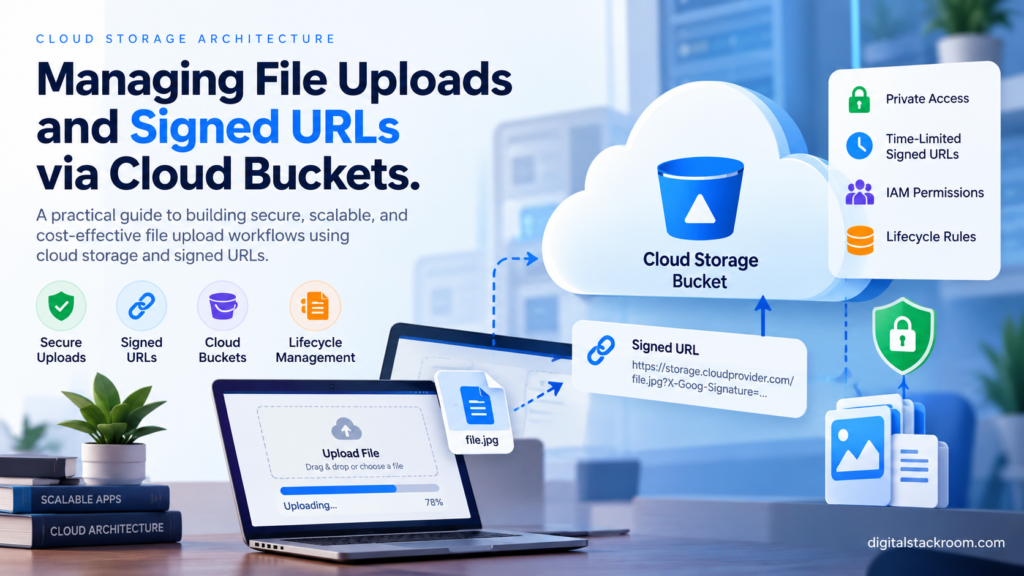
File uploads look simple until the application reaches production.
A user selects a file.
The browser sends it somewhere.
The server saves it.
Done.
That model works for a prototype.
It becomes much less attractive when the files are:
- hundreds of megabytes;
- uploaded concurrently;
- private;
- processed asynchronously;
- shared temporarily;
- subject to retention requirements;
- accessed from several application instances;
- or stored for years.
The first architectural decision is therefore not:
Which upload library should I use?
It is:
Should the application server handle the file bytes at all?
For many cloud applications, the better model is:
Browser
   │
   │ 1. Request permission to upload
   ▼
Application API
   │
   │ 2. Authorize user
   │ 3. Generate object name
   │ 4. Create short-lived upload URL
   ▼
Browser
   │
   │ 5. Upload file directly
   ▼
Cloud Storage Bucket
The application still decides who may upload, what they may upload, where it belongs, and who may later download it.
But the actual file data travels directly between the client and Cloud Storage.
That separation can dramatically reduce application-server bandwidth, memory usage, request duration, and scaling pressure.
This guide focuses on Google Cloud Storage, signed URLs, browser uploads, private buckets, resumable uploads, IAM, object naming, upload verification, lifecycle management, and the production decisions that determine whether a file-storage architecture remains manageable as the application grows.
Table of Contents
What Is Cloud Object Storage?
Google Cloud Storage is an object-storage system.
An object consists primarily of:
Object data
+
Object name
+
Metadata
and lives inside a:
BucketFor example:
Bucket:
customer-documents-prod

Object:
users/usr_1842/uploads/01JDF4T8F8J9K7/report.pdf
The object may contain:
PDF
JSON
CSV
image
video
audio
archive
model artifact
Cloud Storage supports arbitrary object data rather than traditional filesystem blocks.
Google currently supports individual Cloud Storage objects up to 5 TiB.
A Cloud Bucket Is Not a Normal Filesystem
This distinction matters.
An object name may look like:
customers/42/invoices/2026/invoice.pdfbut that does not necessarily mean the storage system contains traditional filesystem directories:
customers/
    42/
        invoices/
            2026/
In normal Cloud Storage buckets, the slash is part of the object name and provides a useful prefix structure.
The application should therefore think primarily in terms of:
bucket
+
object key/name
rather than local disk paths.
This also means you should not design code around assumptions such as:
cd folder
rename directory
append directly to arbitrary file
use local filesystem locking
Object storage has different semantics.
Why Not Save User Files to the Application Server?
Suppose an Express or Python API runs on Google Cloud Run.
A request uploads:
500 MB videoThe architecture becomes:
Browser
   ↓
Cloud Run
   ↓
500 MB received by app
   ↓
500 MB forwarded to storage
The application is acting as a data relay.
That means it consumes:
network bandwidth
request duration
memory or temporary disk
application instance capacity
even though the application itself does not need to inspect those bytes during upload.
A direct-to-storage design becomes:
Browser
   ↓
Cloud Storage
while the API handles only:
authorization
object naming
metadata
signed URL creation
workflow state
That is often a cleaner separation.
For the container/runtime side of this architecture, see:
Deploying Containerized Python & Express Apps to Google Cloud Run
Three Common File Upload Architectures
There is no single upload method that fits every system.
1. Upload Through the Application Server
Browser
   ↓
API
   ↓
Cloud Storage
Useful when the server must inspect or transform data before storage.
Examples:
small configuration files
server-side encryption workflow
immediate format conversion
content that must never reach the bucket unvalidated
2. Direct Upload with a Signed URL
Browser
   ↓
API requests signed URL
   ↓
Cloud Storage PUT
Useful for:
images
documents
audio
video
large files
normal web-app uploads
3. Resumable Direct Upload
Browser
   ↓
Obtain resumable session
   ↓
Upload chunks
   ↓
Resume after interruption
Useful for:
large videos
datasets
archives
unstable network connections
mobile uploads
Google recommends resumable uploads for large files because an interrupted upload can resume instead of restarting from byte zero.
Recommended Production Architecture
A robust upload pipeline often looks like:
Authenticated User
       │
       │ POST /api/uploads
       ▼
Application API
       │
       ├── authenticate user
       ├── authorize upload
       ├── validate requested metadata
       ├── generate object name
       ├── create pending upload record
       └── generate signed URL
       │
       ▼
Browser
       │
       │ PUT file bytes
       ▼
Private Cloud Storage Bucket
       │
       ▼
Upload Completion / Verification
       │
       ├── verify object exists
       ├── verify size
       ├── verify expected metadata
       └── mark file ready
       │
       ▼
Optional Processing
       │
       ├── malware scan
       ├── parse data
       ├── create thumbnail
       ├── extract metadata
       └── publish event
This architecture separates:
permission to uploadfrom:
transporting file bytesand:
processing the uploaded contentThose are three different responsibilities.
Keep Buckets Private by Default
A common early implementation makes an entire bucket public so uploaded files can be displayed easily.
For example:
allUsers
→ Storage Object Viewer
That may make development convenient.
It can also turn every object into an internet-accessible resource.
For private application data, a much stronger default is:
Private bucket
+
IAM
+
short-lived signed URLs
Google Cloud Storage provides Public Access Prevention specifically to help prevent buckets and objects from accidentally being exposed to anonymous internet users.
A bucket used for private application data should normally be treated as private infrastructure.
Enable Public Access Prevention
For a bucket that should never contain public objects:
gcloud storage buckets update \
  gs://YOUR_BUCKET_NAME \
  --public-access-prevention
Public Access Prevention blocks access granted to:
allUsers
allAuthenticatedUsers
through IAM or ACL-based public permissions.
Importantly, Google documents that signed URLs continue to work with Public Access Prevention.
That gives you the useful combination:
Cannot accidentally make bucket public
+
can still grant temporary object access
Prefer Uniform Bucket-Level Access
Cloud Storage has historically supported both:
IAMand:
object ACLsUsing both permission systems at the same time increases complexity.
With Uniform Bucket-Level Access, object ACLs are disabled and access is controlled through IAM.
Google currently recommends Uniform Bucket-Level Access for most workloads.
Enable it when creating a bucket or update an existing compatible bucket:
gcloud storage buckets update \
  gs://YOUR_BUCKET_NAME \
  --uniform-bucket-level-access
Once Uniform Bucket-Level Access has been continuously enabled for 90 days, it cannot be disabled.
For a new application, that is usually a good thing: permissions have one clear control plane.
Creating a Production Bucket
For example:
gcloud storage buckets create \
  gs://YOUR_UNIQUE_BUCKET_NAME \
  --location=asia-south1 \
  --uniform-bucket-level-access \
  --public-access-prevention
Choose the actual location according to your application’s architecture.
Consider:
application location
database location
data residency requirements
user geography
processing workloads
cost
A bucket location should not be selected randomly.
Don’t Give End Users Bucket IAM Access
Suppose a web application has 100,000 users.
You normally do not want to create Cloud IAM bindings for every user.
Instead:
User
   ↓
Application authentication
   ↓
Application authorization
   ↓
Signed URL
   ↓
Cloud Storage
The user authenticates to your application.
Your application decides whether the user may access the object.
Cloud Storage receives a temporary signed request rather than needing to understand every application user.
For the API authentication layer, see:
Securing API Endpoints: Best Practices for JWT Authentication, Environment Variables, and CORS
What Is a Signed URL?
A signed URL is a temporary URL that authorizes a specific Cloud Storage operation.
For example:
GET this objector:
PUT this objectfor a limited period.
Conceptually:
Object
+
HTTP operation
+
expiration
+
signing identity
       ↓
Cryptographic signature
       ↓
Signed URL
A user does not need their own Google Cloud identity to use the URL.
Anyone possessing the URL can use it while it remains valid.
That last sentence is important.
Treat Signed URLs Like Temporary Credentials
A signed URL is effectively a temporary bearer capability.
If you create:
15-minute GET signed URLand someone copies the URL, that person can generally use it until it expires.
Do not:
log signed URLs unnecessarily
send them through analytics
put them into public pages
store them in long-lived browser history when avoidable
Keep their lifetime short.
Signed URL Expiration
V4 Cloud Storage signed URLs support an expiration of up to:
604800 secondswhich equals:
7 daysThat is a technical maximum.
It is not a recommendation to make every URL valid for seven days.
For normal application downloads, something like:
5 minutes
15 minutes
30 minutes
may be far more appropriate.
Choose the shortest duration that still provides a usable experience.
Signed URLs Are Not User-Specific After Creation
Suppose:
Alice asks for file.pdfYour API correctly verifies:
Alice owns file.pdfand returns a signed URL.
After that:
Cloud Storagedoes not know that Alice is using the URL.
The URL itself is the authorization.
If Alice sends it to Bob before it expires, Bob can use it too.
This is why signed URLs should be:
short-lived
resource-specific
operation-specific
and returned only after application authorization.
Build a Signed Upload Flow
Suppose the user wants to upload:
quarterly-report.pdfThe frontend should first ask the application for permission.
POST /api/uploads
Authorization: Bearer ACCESS_TOKEN
Content-Type: application/json
Body:
{
  "fileName": "quarterly-report.pdf",
  "contentType": "application/pdf",
  "size": 2481934
}
The backend then decides:
Is this user authenticated?

Can this user upload?

Is this content type allowed?

Is the declared size acceptable?

Which logical project/task owns the file?

What object name should be used?
Only after those checks should it create the upload authorization.
Never Use the Raw User Filename as the Object Identity
Avoid:
const objectName =
  req.body.fileName;
Problems include:
name collisions
untrusted naming
awkward characters
accidental overwrites
information leakage
Instead, generate the storage identity yourself.
For example:
uploads/
  usr_1842/
  2026/
  10/
  24/
  019A2B74-8D01-7E21-AE72-4C09B67EA123.pdf
Keep the original user filename as metadata in your database.
A Good Object Naming Strategy
A useful object key might contain:
environment
tenant/user/project
logical record ID
generated file ID
optional extension
Example:
production/
projects/prj_729/
uploads/upl_01JDFTQ8C8D2/
source.pdf
That is much safer than:
mahesh final final updated report.pdfbeing the actual storage identifier.
Signed PUT Uploads in Node.js
Install the official library:
npm install @google-cloud/storageCreate the storage client:
import {
  Storage
} from "@google-cloud/storage";


const storage =
  new Storage();


const bucket =
  storage.bucket(
    process.env.UPLOAD_BUCKET
  );
Now create an upload URL:
async function createUploadUrl({
  objectName,
  contentType
}) {

  const file =
    bucket.file(objectName);


  const [url] =
    await file.getSignedUrl({

      version: "v4",

      action: "write",

      expires:
        Date.now() +
        15 * 60 * 1000,

      contentType
    });


  return url;
}
The signed URL is valid only for the operation and constraints included in the signature.
In this example, the client must use the same signed:
Content-Typevalue when making the request.
Express Upload Authorization Endpoint
A simplified endpoint could look like:
import crypto from "node:crypto";
import path from "node:path";


const ALLOWED_TYPES =
  new Set([
    "application/pdf",
    "image/jpeg",
    "image/png"
  ]);


const MAX_FILE_SIZE =
  20 * 1024 * 1024;


app.post(
  "/api/uploads",

  authenticateJwt,

  async (
    req,
    res
  ) => {

    const {
      fileName,
      contentType,
      size
    } =
      req.body;


    if (
      typeof fileName !== "string" ||
      typeof contentType !== "string" ||
      !Number.isInteger(size)
    ) {

      return res
        .status(400)
        .json({
          error:
            "Invalid upload request"
        });
    }


    if (
      !ALLOWED_TYPES.has(
        contentType
      )
    ) {

      return res
        .status(400)
        .json({
          error:
            "Unsupported file type"
        });
    }


    if (
      size <= 0 ||
      size > MAX_FILE_SIZE
    ) {

      return res
        .status(400)
        .json({
          error:
            "Invalid file size"
        });
    }


    const originalExtension =
      path.extname(
        fileName
      );


    const uploadId =
      crypto.randomUUID();


    const objectName =
      [
        "uploads",
        req.auth.subject,
        uploadId +
          originalExtension
      ].join("/");


    const uploadUrl =
      await createUploadUrl({
        objectName,
        contentType
      });


    return res.json({

      uploadId,

      objectName,

      uploadUrl,

      expiresInSeconds:
        900
    });
  }
);
In production, the API should normally also create a metadata record such as:
upload_id
user_id
object_name
original_filename
declared_size
declared_content_type
status = pending
created_at
before returning the signed URL.
The Browser Upload
The frontend receives:
uploadUrland uploads directly:
async function uploadFile(
  file,
  signedUrl
) {

  const response =
    await fetch(
      signedUrl,
      {
        method:
          "PUT",

        headers: {
          "Content-Type":
            file.type
        },

        body:
          file
      }
    );


  if (!response.ok) {

    throw new Error(
      `Upload failed: ${response.status}`
    );
  }
}
Now the byte flow is:
Browser
   ↓
Cloud Storage
not:
Browser
   ↓
Express
   ↓
Cloud Storage
Browser Uploads Need Bucket CORS Configuration
Your application’s API CORS configuration and the bucket’s CORS configuration are separate.
Suppose:
Frontend:
https://app.example.com

Storage:
https://storage.googleapis.com
The browser considers these different origins.
Cloud Storage therefore needs a suitable CORS policy for direct browser uploads.
Example configuration:
[
  {
    "origin": [
      "https://app.example.com"
    ],
    "method": [
      "PUT",
      "POST"
    ],
    "responseHeader": [
      "Content-Type",
      "x-goog-resumable"
    ],
    "maxAgeSeconds": 3600
  }
]
Configure only the application origins that actually need access.
Do not use:
*simply because the browser is reporting a CORS error.
For a deeper explanation of what CORS does—and what it does not do—see:
Securing API Endpoints: Best Practices for JWT Authentication, Environment Variables, and CORS
CORS Does Not Protect the Signed URL
Even with bucket CORS configured for:
https://app.example.comanother non-browser HTTP client can still use a valid signed URL.
Remember:
CORS
=
browser response-sharing policy
not:
signed URL authentication layerThe actual security controls are:
short expiration
restricted operation
specific object
secure URL delivery
application authorization before signing
Do Not Trust Browser-Declared MIME Types
The browser may say:
Content-Type: image/pngThat does not prove the bytes are actually a PNG image.
For sensitive applications, validate the uploaded content after storage.
For example:
Upload
   ↓
Quarantine bucket/prefix
   ↓
Processing worker
   ├── inspect magic bytes
   ├── malware scan
   ├── parse safely
   └── validate expected structure
   ↓
Approved / rejected
Client-provided metadata is useful.
It should not automatically become security truth.
The Upload Is Not Finished Just Because fetch() Returned 200
After the browser uploads successfully, your application still needs to reconcile storage state with application state.
A common pattern is:
POST /api/uploads/UPLOAD_ID/completeThe backend then verifies the storage object.
For example:
async function verifyUploadedFile(
  objectName
) {

  const file =
    bucket.file(
      objectName
    );


  const [exists] =
    await file.exists();


  if (!exists) {

    throw new Error(
      "Uploaded object not found"
    );
  }


  const [metadata] =
    await file.getMetadata();


  return {

    size:
      Number(
        metadata.size
      ),

    contentType:
      metadata.contentType,

    generation:
      metadata.generation
  };
}
Your application can compare:
actual object size

vs.

expected upload size
before marking the file ready.
Why Keep File Metadata in a Database?
Cloud Storage is excellent at storing objects.
It should not necessarily become your entire application database.
A database record might contain:
id
object_name
bucket
owner_id
project_id
original_filename
content_type
size
generation
status
created_at
deleted_at
Then the application can ask:
Which user owns this file?

Which task does it belong to?

Has processing completed?

Is it safe to download?

Was it deleted?

Which storage object represents it?
without scanning the bucket.
Store the Object Name, Not a Permanent Download URL
Avoid storing:
https://storage.googleapis.com/...as though it were the permanent access mechanism for private content.
Store:
bucket
+
object_name
For example:
{
  "bucket": "customer-documents-prod",
  "objectName": "uploads/usr_1842/abc123.pdf"
}
When the user later needs access:
authorize user
↓
generate new signed URL
That keeps authorization decisions current.
Generating a Signed Download URL
Node.js example:
async function createDownloadUrl(
  objectName
) {

  const [url] =
    await bucket
      .file(objectName)
      .getSignedUrl({

        version:
          "v4",

        action:
          "read",

        expires:
          Date.now() +
          10 * 60 * 1000
      });


  return url;
}
Then an endpoint:
app.get(
  "/api/files/:fileId/download",

  authenticateJwt,

  async (
    req,
    res
  ) => {

    const record =
      await findFileById(
        req.params.fileId
      );


    if (!record) {

      return res
        .sendStatus(404);
    }


    if (
      record.ownerId !==
      req.auth.subject
    ) {

      return res
        .sendStatus(403);
    }


    const url =
      await createDownloadUrl(
        record.objectName
      );


    return res.json({
      url,
      expiresInSeconds:
        600
    });
  }
);
The important part is not:
getSignedUrl()It is the authorization check immediately before it.
Signed URLs Should Be Narrow
Prefer:
GET one object
for 10 minutes
over:
broad access
for several days
A signed URL should grant the minimum access needed to complete one operation.
Signed URLs Are Not Instantly Revocable in the Same Way as a Session
Suppose you generate:
15-minute GET URLand then realize after two minutes that it was sent to the wrong person.
There is no normal application-session switch that instantly invalidates just that URL while leaving everything else untouched.
Signed URLs generally remain useful until:
they expireor the underlying signing/access conditions change sufficiently, such as key rotation.
This is another reason to keep expiration short.
Protect the Signing Identity
The identity creating a signed URL needs permission to authorize the corresponding Cloud Storage operation.
For example, an identity creating a download URL must itself be allowed to read that object.
An identity creating an upload URL must have the necessary write permission.
When generating signed URLs using service-account-based signing without a local private key, the runtime may also require permission to perform signing through IAM, such as the relevant:
iam.serviceAccounts.signBlobcapability.
Do not solve signed URL generation by downloading a long-lived service-account JSON key into your application container unless you genuinely have no better option.
On Google Cloud, prefer runtime service identity.
For Cloud Run deployment and service identities, see:
Deploying Containerized Python & Express Apps to Google Cloud Run
Don’t Give the Application Storage Admin Unless It Needs It
A runtime service that only needs to create and read objects probably does not need:
roles/storage.adminThat role is much broader than necessary.
Use a least-privilege role such as an appropriate object-level storage role based on the application requirements.
For example:
object creation
object reading
object deletion
should be granted intentionally.
Do not make:
Owner
Editor
Storage Admin
the default response to an IAM error.
Small Uploads vs. Resumable Uploads
A normal signed PUT request typically uploads the entire object as one request.
That can be fine for:
small documents
avatars
screenshots
small JSON exports
If the connection fails halfway through a large file:
upload restartsA resumable upload solves this problem.
How Resumable Uploads Work
Conceptually:
1. Create resumable upload session

2. Cloud Storage returns session URI

3. Client sends file data

4. Connection fails

5. Client determines current offset

6. Upload continues
The session URI itself acts as an authorization capability for the upload.
Google explicitly warns that anyone possessing the session URI can use it.
Treat it like a temporary credential.
You Usually Don’t Need a Signed URL for Every Resumable Chunk
An important Cloud Storage detail is that signed URLs are generally unnecessary for the actual chunk requests after a resumable upload has been initiated.
A useful architecture is:
Browser
   ↓
Application API
   ↓
Application initiates resumable upload
   ↓
Cloud Storage returns session URI
   ↓
Application returns session URI
   ↓
Browser uploads directly
The browser then uses the session URI for the upload.
Google documents that the resumable session URI acts as the authorization token for subsequent upload requests.
Upload Session Geography Matters
Cloud Storage notes that a resumable upload session is pinned to the region where the initiation request occurs.
That matters if:
backend is in India
user is in Europe
and the backend initiates every resumable upload.
For very geographically distributed applications, read Google’s resumable upload guidance carefully and design the initiation location intentionally.
Signed Policy Documents Are Another Upload Option
Signed URLs are not the only delegated upload mechanism.
Cloud Storage also supports signed policy documents.
These can be useful when you want to constrain upload characteristics such as:
content type
object prefix
content length
more explicitly in a browser upload policy.
Google notes that signed policy documents can provide more control over upload conditions than ordinary signed URLs.
For applications with strict browser-upload constraints, they are worth considering.
Avoid Object Name Collisions
Suppose every user uploads:
profile.jpgIf your application stores:
profile.jpgas the object name, every upload may attempt to replace the same object.
Instead:
users/
  usr_1/
    profile/
      019A2E...
or:
uploads/
  UUID
makes collision unlikely.
The user-facing filename can remain:
profile.jpginside your database metadata.
Prevent Accidental Overwrites with Preconditions
Cloud Storage supports request preconditions based on object generation.
One particularly useful concept is:
ifGenerationMatch = 0for object writes.
That means:
Only succeed if no live object
with this name currently exists.
If the object already exists:
412 Precondition FailedThis is valuable when an upload is expected to create a new immutable object.
Without a precondition:
retry or duplicate requestmight overwrite an existing object unexpectedly.
Google recommends generation-based preconditions for preventing race conditions.
Cloud Storage Objects Have Generations
Every object version has a:
generationidentifier.
Metadata changes separately track a:
metagenerationThese values are extremely useful for concurrency-safe operations.
For example:
Delete this exact generationis safer than:
Delete whatever happens to have this object name now.If your application updates or deletes files concurrently, store the generation when appropriate.
Don’t Build Application Locking Around Filenames
Avoid:
if file exists:
    then update it
as a two-step application race check.
Between:
checkand:
writeanother process may modify the object.
Use Cloud Storage’s atomic preconditions when correctness depends on the object state.
Soft Delete Protects Against Accidental Deletion
Google Cloud Storage now enables soft delete by default for most new buckets, with a default retention duration of 7 days.
When a protected object is deleted:
live object
   ↓
soft-deleted state
   ↓
retention window
   ↓
permanent deletion
During that retention period, the object can be restored.
This is useful protection against:
accidental delete
malicious deletion
bad cleanup script
operator mistake
But it also has storage-cost implications.
Temporary Buckets May Need Different Soft Delete Settings
Imagine a bucket holding:
temporary exports
intermediate processing files
short-lived upload chunks
regenerable data
Soft deletion of millions of temporary objects may create unnecessary retained storage.
Google specifically recommends reviewing soft-delete cost for temporary-object workloads.
A useful design is to separate:
durable user content bucketfrom:
temporary processing bucketrather than forcing both workloads into one policy.
Object Versioning Is Different from Soft Delete
Cloud Storage also supports Object Versioning.
When enabled, replacing a live object can preserve the old version as a noncurrent object.
For example:
document.pdf generation 1
        ↓
new upload
        ↓
document.pdf generation 2 = live
document.pdf generation 1 = noncurrent
Google currently recommends considering soft delete first for accidental-deletion protection, while versioning remains useful when you explicitly need historical object versions.
Versioning also increases storage usage.
Do not enable it everywhere without a lifecycle strategy.
Use Lifecycle Management
Old objects rarely need to remain forever in their original storage class.
Cloud Storage lifecycle rules can automate actions such as:
delete old temporary objects

delete old noncurrent versions

transition eligible objects to
lower-cost storage classes
Example use cases:
Delete temporary exports after 7 days.

Delete old upload staging files after 1 day.

Remove noncurrent versions after 30 days.
Lifecycle rules are much safer than relying on someone to remember a monthly cleanup script.
Separate Upload Staging from Approved Content
For high-security file workflows, consider:
incoming/
    ↓
validation
    ↓
approved/
or even separate buckets:
upload-quarantine
        ↓
scanner/validator
        ↓
production-files
The upload destination should not automatically imply:
safe for downstream consumptionThis matters especially for:
documents
archives
images processed by native libraries
user-generated files
Malware Scanning Architecture
A more defensive pipeline might be:
User
  ↓
Signed upload URL
  ↓
Quarantine Bucket
  ↓
Storage event
  ↓
Scanning Worker
  ↓
┌──────────────┐
│ Clean        │ → Approved bucket/status
├──────────────┤
│ Suspicious   │ → Reject / quarantine
└──────────────┘
Do not serve the uploaded object to other users before the required validation is complete.
Event-Driven File Processing
Cloud Storage uploads can trigger downstream workflows through event systems such as Pub/Sub/Eventarc-based architectures.
For example:
JSON file uploaded
      ↓
Storage event
      ↓
Worker
      ↓
Parse JSON
      ↓
Validate structure
      ↓
Transform records
      ↓
BigQuery / database
For the file-processing side, see:
Automating File Processing with Python: Parsing Complex JSON and Nested CSVs at Scale
Keep Storage Events Idempotent
Event-driven processing should assume the same logical event may occasionally be retried.
A safe worker can track:
bucket
object name
generation
as an event identity.
For example:
customer-data
/
uploads/file.json
/
generation 1741928123456789
is more specific than:
uploads/file.jsonalone.
This prevents a later replacement of the same object name from being confused with the earlier upload.
Upload Completion Should Be Idempotent Too
Suppose the frontend calls:
POST /uploads/123/completetwice.
The second request should not:
duplicate processing job
duplicate database records
send duplicate notifications
Design:
pending
→ uploaded
→ processing
→ ready
as controlled state transitions.
This is the same design principle used in reliable webhook processing.
See:
Setting Up Webhook Listeners in Express.js: Handling Real-Time Payloads Securely
Don’t Send Large Files Through JSON
Avoid:
{
  "file": "BASE64_BASE64_BASE64..."
}
unless the file is tiny and there is a very specific reason.
Base64 encoding increases payload size and forces the application to process the file as application data.
Use:
binary upload
multipart upload
direct object upload
instead.
When Uploading Through the Server Is Still Correct
Direct signed uploads are not always better.
A server-mediated upload can make sense when:
server must inspect every byte before storage

application must transform data inline

storage credentials cannot be delegated

file is very small

you need one atomic application operation
For example:
upload 4 KB JSON configurationmay not justify the complexity of signed upload orchestration.
Architecture should solve actual scale and security problems, not maximize the number of cloud services involved.
Stream Server Uploads Instead of Buffering Large Files
If the application does need to proxy an upload, avoid loading the entire file into memory when possible.
Prefer:
incoming stream
      ↓
validation / transform
      ↓
Cloud Storage write stream
over:
entire file
      ↓
RAM Buffer
      ↓
Cloud Storage
especially for larger files.
Use Metadata Carefully
Cloud Storage objects can have metadata such as:
Content-Type
Cache-Control
Content-Disposition
custom metadata
Useful custom metadata might include non-sensitive operational identifiers:
upload-id
project-id
source
Do not use object metadata as a secret store.
Metadata may be visible to principals who can inspect the object.
Keep sensitive workflow information in your application database.
Content-Disposition Matters for Downloads
Suppose an uploaded file is:
invoice.pdfYou may want:
inline displayor:
download as attachmentdepending on the product behavior.
HTTP:
Content-Dispositioncontrols this behavior.
For user-generated active content—especially HTML/SVG or other browser-executable formats—forcing attachment download rather than inline rendering may be part of a safer content-handling design.
Be Careful Serving User-Uploaded HTML or SVG
If arbitrary user content is rendered from a trusted application origin, it may create:
script execution
phishing
content injection
risks.
User-uploaded content should often be served:
from a separate originor forced as:
attachmentdepending on the format and threat model.
Storage architecture and browser security intersect here.
Cloud Buckets Should Not Become a Secret Distribution Mechanism
Do not upload:
production.env
service-account.json
private-signing-key.pem
into a bucket and then hand signed URLs to services as an improvised secret-management system.
Use a real secret manager for credentials.
For Google Cloud deployments:
Securing API Endpoints: Best Practices for JWT Authentication, Environment Variables, and CORS
and:
Deploying Containerized Python & Express Apps to Google Cloud Run
cover the separation between application configuration, runtime identity, and secrets.
Use Separate Buckets When Policies Differ
One gigantic bucket can become difficult to manage if the data classes require different:
retention
public access
lifecycle
region
security
processing
For example:
app-user-content-prod

app-temporary-processing-prod

app-public-assets-prod

app-backups-prod
can be easier to reason about than:
everything-prodwith hundreds of exceptions.
Public Assets Are a Different Workload
Your website may legitimately need public:
logos
CSS
JavaScript
marketing images
That does not mean user uploads should share the same bucket policy.
Treat:
public static assetsand:
private customer filesas different security classes.
Think About Cache-Control Before Serving Files
Cloud Storage can return:
Cache-Controlheaders.
That matters for:
CDNs
browser caching
signed downloads
content updates
A long cache lifetime is useful for immutable versioned assets.
It may be inappropriate for sensitive or frequently changing user documents.
Set caching policy intentionally.
Signed Download URL vs. Proxy Download
Two normal architectures are:
Signed URL
User
↓
API authorization
↓
signed URL
↓
Cloud Storage download
Benefits:
low API bandwidth
high scalability
simple large downloads
Proxy Download
User
↓
API authorization
↓
API reads Storage
↓
API streams file
Benefits:
API retains complete request control
can inspect/transform content
can hide storage details completely
The proxy model costs more application capacity.
Choose based on requirements rather than assuming signed URLs are always mandatory.
Avoid Long-Lived Signed URLs as Permanent Links
A tempting design is:
Generate seven-day URL
Store it in database
Return same URL repeatedly
This defeats much of the benefit of temporary access.
Prefer:
store object identity
↓
authorize each request
↓
issue fresh short-lived URL
That allows current permissions to be evaluated each time.
File Deletion Should Update Both Layers
Deleting an application file is normally two operations:
application state
+
storage object
For example:
User requests delete
      ↓
Authorize
      ↓
Mark database record deleting
      ↓
Delete exact object/generation
      ↓
Mark deleted
If object deletion fails, the application should not pretend the storage operation succeeded.
Use explicit workflow states where deletion correctness matters.
Avoid Orphaned Objects
An orphan is:
object exists in Storage
+
no application record references it
This can happen when:
signed upload succeeds
but
client never calls completion endpoint
One solution is to write new uploads under:
staging/and periodically remove pending objects that never completed.
For scheduled cleanup options, see:
CRON vs GitHub Actions vs Google Cloud Scheduler
Even better, combine cleanup with lifecycle rules where appropriate.
Avoid Orphaned Database Records Too
The reverse can happen:
database says file ready
+
object missing
Possible causes:
manual deletion
failed migration
incorrect object name
storage cleanup bug
Periodic reconciliation for critical storage can identify:
metadata record without object
object without metadata record
before users discover the problem.
Handle Upload Retries Safely
Network requests fail.
A browser might retry an upload.
Your application should know whether retrying means:
resume same uploador:
create new objectAvoid generating a completely new logical upload record on every transient browser retry unless that is intentional.
For broader retry design, see:
REST API Rate Limiting and Exponential Backoff in Python
Don’t Retry Non-Idempotent Storage Operations Blindly
For operations where a retry could overwrite or duplicate data, use:
generation preconditions
unique object IDs
upload IDs
idempotency records
rather than assuming every retry is harmless.
Logging Without Leaking Signed URLs
This looks useful:
console.log({
  uploadUrl
});
It may place a live temporary credential into:
Cloud Logging
log exporters
incident systems
debug dashboards
Log:
uploadId
objectName
userId
expiration
operation
instead.
Do not log the signed query string.
Useful Upload Metrics
A production storage workflow should expose more than:
bucket existsUseful metrics include:
| Metric | Why It Matters |
|---|---|
| Upload requests created | Overall demand |
| Upload completions | Successful transfers |
| Pending uploads | Abandoned/stuck uploads |
| Upload failures | Client/network/storage issues |
| Average file size | Capacity planning |
| Signed URL generation errors | IAM/signing configuration |
| Processing failures | Downstream quality |
| Files by status | Workflow health |
| Storage bytes | Cost |
| Download URL requests | Access demand |
| Deleted objects | Cleanup behavior |
Audit Sensitive Storage Access
For regulated or sensitive data, consider:
Cloud Audit Logs
application audit records
download authorization logs
delete events
administrative IAM changes
Your application may need to answer:
Who requested access?

Which logical file?

When?

Why were they authorized?

Which object generation was accessed?
Cloud-level and application-level audit information serve different purposes.
A Production Bucket Strategy
A practical design could look like:
customer-content-prod
│
├── incoming/
│   └── <user>/<upload-id>
│
├── processed/
│   └── <project>/<file-id>
│
└── exports/
    └── <user>/<export-id>
Database:
files
│
├── id
├── bucket
├── object_name
├── generation
├── owner_id
├── original_filename
├── content_type
├── size
├── status
└── created_at
Access:
IAM
→ application service identity

Application auth
→ end users

Signed URL
→ temporary object access
That creates clear responsibility boundaries.
Example End-to-End Upload Sequence
Step 1: User selects file
photo.jpg
2.8 MB
Step 2: Frontend asks API for upload authorization
POST /api/uploadsStep 3: API validates application permissions
authenticated?
authorized?
type allowed?
size allowed?
quota available?
Step 4: API generates object identity
incoming/usr_42/upl_f84e...jpgStep 5: API creates pending database record
status = pendingStep 6: API creates short-lived V4 signed PUT URL
expires = 15 minutesStep 7: Browser uploads directly
Browser
→ Cloud Storage
Step 8: Browser calls completion endpoint
POST /api/uploads/upl_f84e/completeStep 9: API reads object metadata
Verify:
exists
size
generation
expected identity
Step 10: Application transitions state
pending
→ uploaded
Step 11: Optional processing starts
uploaded
→ scanning
→ ready
Only after:
readyis the file exposed to normal download workflows.
Production Download Sequence
User requests file
      ↓
API authenticates
      ↓
API loads file metadata
      ↓
API checks authorization
      ↓
API confirms status = ready
      ↓
API creates 5–15 minute GET URL
      ↓
Browser downloads directly
The bucket remains private the entire time.
Common Mistake: Making the Bucket Public
The app works immediately.
Security also becomes:
Anyone who knows object URL
may be able to retrieve it.
Keep private application data private.
Use signed URLs when temporary external access is needed.
Common Mistake: Giving Users Predictable Object Names
Avoid:
/users/42/passport.pdfas the only protection against discovery.
Object names are not authentication.
Use application authorization and private storage.
Common Mistake: Trusting File Extensions
This:
file.pdfdoes not prove:
PDF bytesValidate important content after upload.
Common Mistake: Trusting Content-Type
This:
image/jpegcame from an HTTP request.
Treat it as claimed metadata until validated where security matters.
Common Mistake: Returning a One-Year Download URL
Temporary access should remain temporary.
V4 Cloud Storage signed URLs cannot exceed seven days anyway, but most applications should use a much shorter lifetime.
Common Mistake: Sending Every Large File Through Express
If Express does not need to inspect the bytes, direct upload can remove a large amount of unnecessary application load.
Common Mistake: Storing Signed URLs in the Database
Store:
object identitynot:
temporary credentialGenerate signed access when needed.
Common Mistake: Using Storage Admin Everywhere
Grant only the storage permissions required by the runtime workload.
Broad IAM roles increase the impact of a compromised service.
Common Mistake: Treating Upload Success as Content Validation
A file successfully reaching Cloud Storage only proves:
Cloud Storage accepted the object.It does not prove:
safe
valid
expected
malware-free
correct schema
Those are application-level checks.
Common Mistake: Forgetting Cleanup
Uploads that never complete can slowly fill storage.
Use:
lifecycle rules
scheduled reconciliation
pending upload expiration
to prevent staging data from becoming permanent.
Production Checklist
| Area | Check |
|---|---|
| Bucket | Private by default |
| Public Access Prevention | Enabled for private data |
| Access model | Uniform bucket-level access |
| Runtime identity | Dedicated service account |
| IAM | Least privilege |
| Object naming | Server-generated |
| Original filename | Stored separately |
| Upload auth | Application authorization before signing |
| Signed URL | Short-lived |
| Signed operation | Specific GET/PUT action |
| Signed URL logging | Avoided |
| Browser upload | Bucket CORS configured narrowly |
| MIME type | Not blindly trusted |
| File size | Validated |
| Upload completion | Verified against Storage |
| Database | Stores bucket/object identity |
| Generation | Stored when concurrency matters |
| Overwrites | Preconditions considered |
| Large files | Resumable uploads considered |
| Processing | Quarantine/validation where needed |
| Soft delete | Policy reviewed |
| Versioning | Enabled only when needed |
| Lifecycle | Configured for temporary/old data |
| Monitoring | Upload failures and pending files visible |
| Secrets | Not stored in bucket as improvised vault |
| Cleanup | Orphan handling implemented |
The Architecture I Prefer
For most private web-application uploads:
                       ┌─────────────────┐
                       │ Application DB  │
                       │ file metadata   │
                       └────────┬────────┘
                                │
                                │
User ──JWT──► Application API ──┤
                                │
                         signed PUT/GET
                                │
                                ▼
                      Private Cloud Bucket
For more sensitive content:
User
 ↓
API authorization
 ↓
Signed upload
 ↓
Quarantine Bucket
 ↓
Scanner / Validator
 ↓
Metadata DB
 ↓
Approved Storage
 ↓
Signed download
For large uploads:
User
 ↓
API authorization
 ↓
Resumable session
 ↓
Cloud Storage
 ↓
Verification
 ↓
Processing
The architecture changes with the workload.
The underlying principle does not:
the application controls authorization, while the storage service handles object transport and durable storage.
Final Thoughts
Cloud Storage architecture becomes much easier to reason about when you stop treating a bucket as an internet-accessible folder.
A bucket is infrastructure.
Your application should decide:
who may upload

which object they may create

who owns the resulting object

when it becomes usable

who may download it

when it should expire or be deleted
Cloud Storage should handle:
durable bytes
object metadata
transfer
replication
storage lifecycle
Signed URLs bridge those two worlds.
They allow the application to say:
This authenticated user
may perform this operation
on this specific object
for the next few minutes.
That is significantly better than making an entire bucket public.
For most production applications, a strong starting architecture is:
Private bucket
+
Uniform bucket-level access
+
Public Access Prevention
+
Runtime service identity
+
Application authorization
+
short-lived signed URLs
+
server-generated object names
+
upload verification
+
lifecycle management
Then add:
resumable uploads
malware scanning
event-driven processing
versioning
retention
only when the workload actually requires them.
The goal is not simply to upload files successfully.
The goal is to build a storage system where file access remains controlled, observable, recoverable, and scalable long after the first upload works.
Official Documentation and Technical References
Google Cloud Storage
V4 Signing with Cloud Storage Tools
Cloud Storage Resumable Uploads
Access Control and Security
Cloud Storage CORS Configuration Examples
Object Protection and Lifecycle
Cloud Storage Request Preconditions