
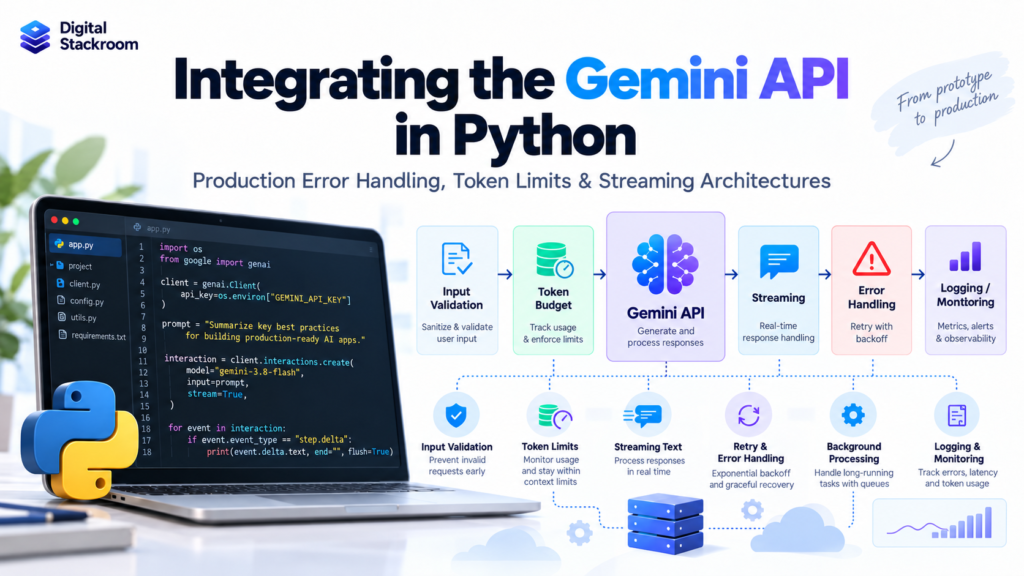
Connecting Python to the Gemini API takes only a few lines of code.
Building a Gemini integration that survives real production traffic is a very different problem.
Once an application moves beyond a prototype, developers need to think about much more than sending a prompt and printing the response.
A production integration must handle:
- API authentication
- model versioning
- request timeouts
- transient API failures
- rate limits
- token budgets
- truncated responses
- streaming interruptions
- asynchronous concurrency
- backpressure
- usage monitoring
- long-running requests
- safe logging
- model upgrades
This guide builds a production-oriented Gemini API integration in Python and explains the architecture behind each decision.
The examples use Google’s current Google Gen AI Python SDK and the Gemini Interactions API.
As of 2026, the Interactions API is Google’s recommended interface for new Gemini projects. The older generateContent API remains supported, but new applications should generally begin with Interactions.
Table of Contents
The Production Architecture We Are Building
A simple prototype often looks like this:
User
 ↓
Python
 ↓
Gemini API
 ↓
Response
That is enough for experimentation.
A production system needs additional controls:
Client Application
        ↓
API / Application Layer
        ↓
Input Validation
        ↓
Token Budget Check
        ↓
Concurrency Control
        ↓
Gemini API Client
        ↓
Error Classification
        ↓
Streaming / Standard Response
        ↓
Output Validation
        ↓
Usage + Latency Logging
        ↓
Application Response
For long-running workloads, the architecture changes slightly:
Client
   ↓
Application API
   ↓
Create Background Interaction
   ↓
Gemini Server-Side Execution
   ↓
Interaction ID
   ↓
Poll or Stream Progress
   ↓
Reconnect if Connection Drops
   ↓
Completed Result
The difference matters because a production LLM request is not just a function call.
It is a distributed network operation with resource limits, asynchronous behavior, model-specific constraints, and failure modes.
Step 1: Install the Current Google Gen AI SDK
Install the official SDK:
pip install -U google-genaiThe package is:
google-genaiThe Python import is:
from google import genaiDo not confuse the current SDK with older examples that use:
import google.generativeai as genaiOlder tutorials using the google-generativeai package should not be the starting point for a new production integration.
Step 2: Configure the Gemini API Key Securely
Create an API key in Google AI Studio and store it as an environment variable.
For example:
export GEMINI_API_KEY="YOUR_API_KEY"Never place a production API key directly in source code.
Avoid code such as:
API_KEY = "AIza..."If the repository is accidentally published, the credential may be exposed.
Instead, read the environment variable.
import os

api_key = os.environ["GEMINI_API_KEY"]
Using square brackets rather than os.getenv() is useful when the key is mandatory because Python immediately raises an error if the environment variable is missing.
Step 3: Create a Reusable Gemini Client
Create the client once and reuse it.
import os

from google import genai
from google.genai import types


MODEL_ID = "gemini-3.8-flash"


def create_gemini_client() -> genai.Client:
    api_key = os.environ["GEMINI_API_KEY"]

    return genai.Client(
        api_key=api_key,
        http_options=types.HttpOptions(
            api_version="v1"
        ),
    )


client = create_gemini_client()
For a long-running web service, do not create a new client for every incoming HTTP request.
Reuse the client so the underlying HTTP connection pool can also be reused.
When an application is shutting down, close the client:
client.close()Why I Am Using a Stable Model ID
For production workloads, model selection should be deliberate.
Google exposes several model-name patterns.
| Model Type | Example | Production Consideration |
|---|---|---|
| Stable | gemini-3.8-flash | Best choice when reproducibility matters |
| Latest alias | gemini-flash-latest | Can move to a newer model automatically |
| Preview | Preview-specific ID | Useful for testing newer capabilities |
| Experimental | Experimental ID | Generally unsuitable for critical production workloads |
A latest alias is convenient, but its underlying model may change.
That means this:
MODEL_ID = "gemini-flash-latest"is useful when automatically following Google’s latest model is intentional.
For a controlled production release, I prefer:
MODEL_ID = "gemini-3.8-flash"Then a model upgrade becomes an explicit deployment decision.
This allows the team to run regression tests before changing production behavior.
Step 4: Make the First Production-Style Request
The current Interactions API uses:
client.interactions.create(...)A minimal call looks like this:
interaction = client.interactions.create(
    model=MODEL_ID,
    input="Explain vector databases in three sentences.",
)

print(interaction.output_text)
For production code, I would add a timeout and explicit storage decision.
interaction = client.interactions.create(
    model=MODEL_ID,
    input="Explain vector databases in three sentences.",
    store=False,
    timeout=30.0,
)

print(interaction.output_text)
store=False is useful for stateless single-turn calls when server-side interaction history is not required.
If you need server-managed conversation history, background execution, or resumable interaction retrieval, storage requirements are different.
Do not set store=False automatically everywhere without understanding those features.
Step 5: Validate the Interaction Status
A network request succeeding does not necessarily mean the model completed exactly as expected.
An Interaction can have lifecycle states such as:
| Status | Meaning |
|---|---|
in_progress | Processing is still running |
requires_action | The interaction needs additional client input |
completed | Processing completed successfully |
failed | Execution failed |
cancelled | Execution was cancelled |
incomplete | Execution ended without producing a complete result |
For a simple synchronous request, validate the status.
class GeminiIncompleteResponse(RuntimeError):
    pass


def generate_text(
    client: genai.Client,
    prompt: str,
) -> str:

    interaction = client.interactions.create(
        model=MODEL_ID,
        input=prompt,
        store=False,
        timeout=30.0,
    )

    if interaction.status != "completed":
        raise GeminiIncompleteResponse(
            f"Gemini interaction ended with "
            f"status={interaction.status!r}"
        )

    if not interaction.output_text:
        raise GeminiIncompleteResponse(
            "Gemini completed without text output."
        )

    return interaction.output_text
Now:
answer = generate_text(
    client,
    "Explain database indexing in simple terms."
)

print(answer)
This is safer than assuming every returned object contains a valid final answer.
Step 6: Understand Gemini API Errors
Production code should distinguish different failure classes.
A 400 error and a 503 error should not be handled the same way.
Typical API categories include:
| HTTP Status | Typical Meaning | Retry? |
|---|---|---|
| 400 | Invalid request | No |
| 401 | Authentication problem | No |
| 403 | Permission or access problem | No |
| 404 | Model/resource not found | No |
| 408 | Request timeout | Usually transient |
| 409 | Conflict/concurrency condition | Retry at an appropriate application level |
| 429 | Rate limit or quota condition | Depends on exact reason |
| 500 | Internal server failure | Usually transient |
| 502 | Upstream/server failure | Usually transient |
| 503 | Service unavailable | Usually transient |
| 504 | Gateway timeout | Usually transient |
The Google Gen AI SDK exposes APIError.
from google.genai import errors


try:
    interaction = client.interactions.create(
        model=MODEL_ID,
        input="Explain distributed systems.",
        timeout=30.0,
    )

except errors.APIError as exc:
    print("Status:", exc.code)
    print("Message:", exc.message)
Do not use:
except Exception:
    pass
That hides the actual failure and makes production incidents extremely difficult to investigate.
Step 7: Create Application-Level Error Classes
A useful pattern is translating SDK errors into errors that make sense to your application.
class GeminiError(RuntimeError):
    pass


class GeminiBadRequest(GeminiError):
    pass


class GeminiAuthenticationError(GeminiError):
    pass


class GeminiRateLimitError(GeminiError):
    pass


class GeminiTransientError(GeminiError):
    pass


class GeminiUnexpectedError(GeminiError):
    pass
Now classify API errors.
from google.genai import errors


def raise_application_error(
    exc: errors.APIError
) -> None:

    code = exc.code

    if code == 400:
        raise GeminiBadRequest(
            exc.message
        ) from exc

    if code in {401, 403}:
        raise GeminiAuthenticationError(
            exc.message
        ) from exc

    if code == 429:
        raise GeminiRateLimitError(
            exc.message
        ) from exc

    if code in {
        408,
        409,
        500,
        502,
        503,
        504,
    }:
        raise GeminiTransientError(
            exc.message
        ) from exc

    raise GeminiUnexpectedError(
        f"Gemini API error {code}: "
        f"{exc.message}"
    ) from exc
Use it in the service layer:
def call_gemini(
    client: genai.Client,
    prompt: str,
) -> str:

    try:
        interaction = client.interactions.create(
            model=MODEL_ID,
            input=prompt,
            store=False,
            timeout=30.0,
        )

    except errors.APIError as exc:
        raise_application_error(exc)

    if interaction.status != "completed":
        raise GeminiIncompleteResponse(
            f"Unexpected interaction status: "
            f"{interaction.status}"
        )

    return interaction.output_text or ""
Now the rest of the application does not need to understand every SDK-specific exception.
Do Not Build an Aggressive Retry Loop Around Every Request
A common production mistake is adding code like:
for _ in range(20):
    try:
        call_model()
        break
    except Exception:
        time.sleep(1)
This can make outages worse.
The current official Gemini Python SDK already includes automatic retry handling for transient conditions such as selected timeouts, network errors, rate-limit responses, and server-side failures.
Adding a second aggressive retry layer can create:
One User Request
       ↓
Application Retry
       ↓
SDK Retry
       ↓
Multiple Gemini Requests
       ↓
Higher Load
       ↓
More 429 / 5xx Errors
Application-level retry logic should therefore be deliberate.
For example, after the SDK’s retries are exhausted, your application may:
Transient failure
      ↓
Return HTTP 503
      ↓
Task Queue / Worker
      ↓
Retry Later
This is usually safer than indefinitely holding a user-facing HTTP connection open.
A 429 Error Does Not Always Mean the Same Thing
Gemini rate limits can be measured across dimensions such as:
| Limit | Meaning |
|---|---|
| RPM | Requests per minute |
| TPM | Input tokens per minute |
| RPD | Requests per day |
Limits depend on factors such as the model, project, and usage tier.
They are applied at the project level rather than independently to every API key.
Therefore, avoid tutorials that hard-code statements such as:
Gemini allows exactly 60 requests per minute.That may not match your project.
Check the current limits for the project and model being used.
A 429 may indicate a short-term rate-limit condition or a broader quota condition.
Those situations require different operational responses.
A short rate-limit burst may be retried with backoff.
A daily quota exhaustion should not be retried every few seconds for hours.
Step 8: Limit Concurrency Before Requests Reach Gemini
Retries are only one part of reliability.
A better design prevents the application from overwhelming the API in the first place.
For asynchronous applications, a semaphore can limit concurrent requests.
import asyncio


MAX_CONCURRENT_GEMINI_CALLS = 20

gemini_semaphore = asyncio.Semaphore(
    MAX_CONCURRENT_GEMINI_CALLS
)
Then:
async def generate_async(
    prompt: str
) -> str:

    async with gemini_semaphore:

        interaction = (
            await client.aio.interactions.create(
                model=MODEL_ID,
                input=prompt,
                store=False,
                timeout=30.0,
            )
        )

        if interaction.status != "completed":
            raise GeminiIncompleteResponse(
                f"Unexpected status: "
                f"{interaction.status}"
            )

        return interaction.output_text or ""
The number 20 is only an application example.
It is not a Gemini quota recommendation.
Choose concurrency based on:
- your rate limits
- average prompt size
- request latency
- downstream traffic
- application SLOs
Concurrency limiting and rate limiting are related but different controls.
A semaphore limits simultaneous work.
It does not by itself guarantee compliance with RPM or TPM quotas.
Step 9: Understand Token Limits Correctly
Token management is one of the most misunderstood parts of LLM integration.
Three numbers can matter:
Input Tokens
Thinking Tokens
Output Tokens
The exact budgeting model depends on the Gemini model family.
For example, current Gemini 3 models use separate input and output budgets, while Gemini 4 introduces a unified context model where input, thinking, and output share the context window.
Therefore, do not write application logic based on assumptions such as:
MAX_CONTEXT = 1_000_000Instead, inspect the selected model.
Step 10: Read Model Limits Programmatically
The SDK can return model metadata.
model_info = client.models.get(
    model=MODEL_ID
)

print(
    "Input limit:",
    model_info.input_token_limit
)

print(
    "Output limit:",
    model_info.output_token_limit
)
This is better than copying a limit from an old blog post.
Model specifications change over time.
Your application should know which model it is using and ideally expose that model configuration through observability.
Step 11: Count Input Tokens Before Generation
For text input:
prompt = """
Analyze this customer support conversation
and summarize the root cause.
"""

token_info = client.models.count_tokens(
    model=MODEL_ID,
    contents=prompt,
)

print(
    "Input tokens:",
    token_info.total_tokens
)
count_tokens() measures the input before generation.
This is useful for:
- preventing oversized requests
- deciding whether to summarize context
- estimating cost
- controlling RAG context
- selecting documents
Do not estimate production token counts using only:
len(prompt.split())Words and tokens are not equivalent.
Use the tokenizer-aware API when exact request budgeting matters.
Step 12: Build a Token Guard
Because this article uses gemini-3.8-flash, which has separate input and output budgets, we can validate those independently.
class TokenBudgetExceeded(ValueError):
    pass


def validate_token_budget(
    client: genai.Client,
    model: str,
    prompt: str,
    requested_output_tokens: int,
) -> dict:

    model_info = client.models.get(
        model=model
    )

    token_info = client.models.count_tokens(
        model=model,
        contents=prompt,
    )

    input_tokens = token_info.total_tokens

    input_limit = (
        model_info.input_token_limit
    )

    output_limit = (
        model_info.output_token_limit
    )

    if input_tokens > input_limit:
        raise TokenBudgetExceeded(
            f"Input uses {input_tokens} tokens, "
            f"but model input limit is "
            f"{input_limit}."
        )

    if requested_output_tokens > output_limit:
        raise TokenBudgetExceeded(
            f"Requested output limit "
            f"{requested_output_tokens} exceeds "
            f"model output limit "
            f"{output_limit}."
        )

    return {
        "input_tokens": input_tokens,
        "input_limit": input_limit,
        "requested_output_tokens":
            requested_output_tokens,
        "output_limit": output_limit,
    }
Use it before generation:
budget = validate_token_budget(
    client=client,
    model=MODEL_ID,
    prompt=prompt,
    requested_output_tokens=4096,
)

print(budget)
Then call Gemini.
interaction = client.interactions.create(
    model=MODEL_ID,
    input=prompt,
    generation_config={
        "max_output_tokens": 4096
    },
    store=False,
    timeout=30.0,
)
Gemini 4 Requires Different Context-Budget Reasoning
Do not blindly reuse the previous token equation for every future Gemini model.
Gemini 4 Argon currently uses a unified context window:
Input
+
Thinking
+
Output
=
Shared Context Budget
Gemini 3.x uses separate input and output budgets.
This difference matters.
For a unified-window model, requesting a large output while supplying an extremely large input reduces the amount of context remaining for thinking and output.
That is why model-specific token behavior should be checked rather than hidden behind a single hard-coded constant.
Thinking Tokens Also Matter
For reasoning-capable models, max_output_tokens is not simply:
maximum number of words shown to the user.
Thinking can consume part of the model’s output budget.
This means setting an extremely small max_output_tokens can cause a reasoning-heavy request to terminate before producing a useful final answer.
An incomplete interaction should therefore be treated as a real execution state.
Do not automatically interpret:
interaction.output_text == ""as:
The model had nothing to say.
The request may have exhausted a generation budget.
Step 13: Inspect Actual Token Usage After the Request
Preflight counting measures input.
After generation, inspect actual usage.
interaction = client.interactions.create(
    model=MODEL_ID,
    input="Explain database normalization.",
    store=False,
)

usage = interaction.usage

if usage:
    print(
        "Input tokens:",
        usage.total_input_tokens
    )

    print(
        "Output tokens:",
        usage.total_output_tokens
    )

    print(
        "Thinking tokens:",
        usage.total_thought_tokens
    )

    print(
        "Total tokens:",
        usage.total_tokens
    )
Some usage fields are optional.
Production code should therefore avoid assuming every field is always populated.
A simple helper is:
def safe_usage_value(
    usage,
    field: str,
) -> int | None:

    if usage is None:
        return None

    return getattr(
        usage,
        field,
        None
    )
Step 14: Why Streaming Is Useful
Without streaming:
Request
   ↓
Model generates entire response
   ↓
Application waits
   ↓
Full response returned
If the model takes five seconds, the user sees nothing for five seconds.
With streaming:
Request
   ↓
First response delta
   ↓
Display
   ↓
Next delta
   ↓
Display
   ↓
...
   ↓
Completed event
This improves perceived latency for applications such as:
- chat interfaces
- coding assistants
- long summaries
- AI search
- report generation
But streaming introduces new architecture concerns.
Step 15: Stream Gemini Responses in Python
Use:
stream = client.interactions.create(
    model=MODEL_ID,
    input="Explain how B-tree indexes work.",
    store=False,
    stream=True,
)
Process events:
for event in stream:

    if event.event_type == "step.delta":

        if event.delta.type == "text":

            print(
                event.delta.text,
                end="",
                flush=True,
            )
Do not assume every stream event contains text.
A stream can contain lifecycle events and other delta types.
For example:
interaction.created
step.start
step.delta
step.delta
step.stop
interaction.completed
Always inspect the event type.
Step 16: Capture Completion and Usage During Streaming
A more complete handler looks like this:
def stream_gemini_text(
    client: genai.Client,
    prompt: str,
):

    stream = client.interactions.create(
        model=MODEL_ID,
        input=prompt,
        store=False,
        stream=True,
        timeout=60.0,
    )

    for event in stream:

        if event.event_type == "step.delta":

            delta = event.delta

            if delta.type == "text":
                yield delta.text

        elif event.event_type == "error":

            error = event.error

            raise GeminiError(
                error.message
                if error
                else "Unknown stream error."
            )

        elif (
            event.event_type
            == "interaction.completed"
        ):

            usage = (
                event.interaction.usage
                if event.interaction
                else None
            )

            if usage:
                print(
                    "\nTotal tokens:",
                    usage.total_tokens,
                )
Consume it:
for text in stream_gemini_text(
    client,
    "Explain distributed consensus."
):
    print(
        text,
        end="",
        flush=True,
    )
A Stream Chunk Is Not Necessarily One Token
Do not assume:
one stream event = one model tokenA text delta is an application-level streamed fragment.
It may contain:
- part of a word
- one word
- several words
- punctuation
- larger text fragments
Your frontend should treat deltas as ordered text fragments.
Append them in the order received.
Step 17: Buffer the Final Response When Necessary
A streaming UI may display each fragment immediately while simultaneously building the complete response.
pieces = []

for text in stream_gemini_text(
    client,
    "Explain CAP theorem."
):

    pieces.append(text)

    print(
        text,
        end="",
        flush=True,
    )

final_text = "".join(pieces)
The full text can then be:
- saved
- validated
- indexed
- audited
- evaluated
- returned to another system
Do not rebuild streamed text by inserting spaces between chunks.
This is wrong:
" ".join(pieces)The chunks already contain their correct spacing.
Use:
"".join(pieces)Step 18: Do Not Parse Partial JSON Too Early
Suppose Gemini is streaming structured output.
You may temporarily receive:
{"sentiment":followed by:
"positive","summary":followed by:
"Great experience"}The intermediate fragments are not complete JSON documents.
Therefore, do not run:
json.loads(chunk)on every text delta.
Instead:
import json


json_parts = []

for chunk in stream_gemini_text(
    client,
    prompt,
):
    json_parts.append(chunk)

raw_json = "".join(json_parts)

result = json.loads(raw_json)
Even better, use Gemini structured-output schemas when the application requires machine-readable output rather than relying only on prompt instructions.
Step 19: Use Structured Outputs for Machine-to-Machine Workflows
For application logic, natural language such as:
Return valid JSON.
is weaker than specifying a schema.
For example:
from pydantic import BaseModel
from typing import Literal


class SupportAnalysis(BaseModel):
    category: Literal[
        "billing",
        "technical",
        "account",
        "other",
    ]

    priority: Literal[
        "low",
        "medium",
        "high",
    ]

    summary: str
The Interactions API supports response schemas for structured outputs.
Conceptually:
interaction = client.interactions.create(
    model=MODEL_ID,
    input=(
        "Classify this ticket: "
        "My account was charged twice."
    ),
    response_format={
        "type": "text",
        "mime_type": "application/json",
        "schema":
            SupportAnalysis.model_json_schema(),
    },
)
When output is consumed by another program, schema validation is considerably safer than parsing unconstrained prose.
Step 20: Use Async Streaming for High-Concurrency Applications
Synchronous streaming works well for:
- scripts
- notebooks
- command-line utilities
A web server with hundreds of concurrent users should normally use asynchronous I/O.
The async SDK is available through:
client.aioA simplified async streaming function:
async def async_stream_gemini(
    prompt: str
):

    stream = await (
        client.aio.interactions.create(
            model=MODEL_ID,
            input=prompt,
            store=False,
            stream=True,
            timeout=60.0,
        )
    )

    async for event in stream:

        if event.event_type == "step.delta":

            if event.delta.type == "text":

                yield event.delta.text
Consume it:
async for chunk in async_stream_gemini(
    "Explain vector search."
):
    print(
        chunk,
        end="",
        flush=True,
    )
The Python worker can now spend its waiting time serving other requests rather than blocking an entire thread for every Gemini response.
Step 21: Add Backpressure to Streaming Systems
Imagine this architecture:
Gemini
  ↓
Python
  ↓
WebSocket / SSE
  ↓
Browser
Gemini may produce data faster than the browser consumes it.
If the Python application keeps buffering indefinitely, memory usage can grow.
A bounded asynchronous queue provides backpressure.
import asyncio


STREAM_QUEUE_SIZE = 100


async def produce_stream(
    prompt: str,
    queue: asyncio.Queue,
):

    try:

        async for text in async_stream_gemini(
            prompt
        ):

            await queue.put(text)

    finally:

        await queue.put(None)
Consumer:
async def consume_stream(
    queue: asyncio.Queue
):

    while True:

        item = await queue.get()

        if item is None:
            break

        await send_to_client(item)
Create the queue:
queue = asyncio.Queue(
    maxsize=STREAM_QUEUE_SIZE
)
When the queue fills, await queue.put() pauses the producer.
That creates backpressure instead of allowing unlimited memory growth.
Step 22: Choose the Correct Streaming Architecture
Different applications need different approaches.
| Architecture | Best Use |
|---|---|
| Synchronous response | Short backend tasks |
| Synchronous streaming | CLI and simple applications |
| Async streaming | High-concurrency APIs |
| SSE | Browser text streaming |
| WebSocket | Bidirectional interactive applications |
| Background interaction | Long-running/reconnectable jobs |
| Polling | Batch-style workflows |
Do not use streaming only because it looks more advanced.
For a classification request that returns three fields in 400 milliseconds, streaming may add unnecessary complexity.
For a 2,000-word generated analysis, streaming can materially improve user experience.
Step 23: Standard Streaming Is Not the Same as Durable Execution
A normal stream depends on a live connection.
Networks fail.
Users close browser tabs.
Reverse proxies restart.
Containers get replaced.
Long-running AI tasks therefore need a more durable architecture.
The Interactions API supports background execution.
Create a background task:
interaction = client.interactions.create(
    model=MODEL_ID,
    input=(
        "Write a detailed technical review "
        "of this architecture."
    ),
    background=True,
)

print(
    "Interaction ID:",
    interaction.id
)
The task continues on the server independently of one long client HTTP request.
Important: Background Execution Requires Stored State
Background execution requires the interaction to be stored.
Therefore this combination is invalid:
background=True,
store=False
For workloads with strict data-retention requirements, this is an architectural decision that should be reviewed before enabling background execution.
Do not choose background execution without considering your application’s data-governance requirements.
Step 24: Poll a Background Interaction
A simple polling pattern is:
import time


TERMINAL_STATES = {
    "completed",
    "failed",
    "cancelled",
    "incomplete",
}


def wait_for_interaction(
    client: genai.Client,
    interaction_id: str,
):

    while True:

        result = client.interactions.get(
            id=interaction_id
        )

        if (
            result.status
            in TERMINAL_STATES
        ):
            return result

        time.sleep(5)
Use it:
job = client.interactions.create(
    model=MODEL_ID,
    input=(
        "Generate a detailed architecture "
        "review."
    ),
    background=True,
)

result = wait_for_interaction(
    client,
    job.id,
)

if result.status == "completed":
    print(result.output_text)

else:
    print(
        "Interaction ended with:",
        result.status,
    )
Polling is simple and reliable, although it introduces repeated status requests.
Step 25: Build a Reconnectable Stream
Background execution is especially useful when the client should display progress but also survive connection loss.
The API exposes event IDs.
Store the last event ID received.
If the network disconnects, reconnect using:
interaction_id
+
last_event_id
Example:
import time


def stream_with_reconnect(
    client: genai.Client,
    interaction_id: str,
):

    last_event_id = None

    while True:

        try:

            stream = (
                client.interactions.get(
                    id=interaction_id,
                    stream=True,
                    last_event_id=
                        last_event_id,
                )
            )

            for event in stream:

                if event.event_id:
                    last_event_id = (
                        event.event_id
                    )

                if (
                    event.event_type
                    == "step.delta"
                    and event.delta.type
                    == "text"
                ):
                    yield event.delta.text

                elif (
                    event.event_type
                    == "interaction.completed"
                ):
                    return

                elif (
                    event.event_type
                    == "error"
                ):

                    message = (
                        event.error.message
                        if event.error
                        else
                        "Stream error"
                    )

                    raise GeminiError(
                        message
                    )

        except GeminiError:
            raise

        except Exception:

            time.sleep(3)
Create the durable interaction first:
job = client.interactions.create(
    model=MODEL_ID,
    input=(
        "Generate a detailed migration plan."
    ),
    background=True,
)

for text in stream_with_reconnect(
    client,
    job.id,
):
    print(
        text,
        end="",
        flush=True,
    )
This architecture is significantly more resilient than relying on one uninterrupted long HTTP connection.
Step 26: Use Timeouts Intentionally
Never allow production requests to wait forever.
The Interactions API supports request-level timeout configuration.
For example:
interaction = client.interactions.create(
    model=MODEL_ID,
    input="Summarize this report.",
    timeout=30.0,
)
The correct timeout depends on the workload.
A short classification request and a complex reasoning request should not necessarily use the same value.
A useful design is:
Interactive short request
→ Normal request with bounded timeout

Long reasoning task
→ Background interaction

Very long generated artifact
→ Background execution + reconnectable stream
Do not solve every long-running problem by continually increasing the HTTP timeout.
Eventually, durable asynchronous execution becomes the better architecture.
Step 27: Avoid Silent Model Fallbacks
Suppose gemini-3.8-flash fails.
It may be tempting to silently send the same request to another model:
Primary Model Failed
      ↓
Different Model
      ↓
Return Result
This can be appropriate in some applications.
But it is not automatically safe.
Different models can produce different:
- reasoning behavior
- formatting
- safety behavior
- latency
- cost
- tool decisions
For a regulated or tightly evaluated workflow, silently switching models can invalidate the evaluation baseline.
If fallback is required, explicitly configure and test it.
For example:
PRIMARY_MODEL = "gemini-3.8-flash"

FALLBACK_MODEL = (
    "your-approved-fallback-model"
)
Both models should pass the same evaluation suite before fallback is enabled.
Step 28: Log What Matters
A production Gemini integration needs observability.
Useful fields include:
| Field | Why It Matters |
|---|---|
| Request ID | Trace a request across services |
| Interaction ID | Trace Gemini execution |
| Model | Identify model behavior |
| Application version | Connect failures to deployments |
| Prompt template version | Detect prompt regressions |
| Start time | Latency measurement |
| End time | Latency measurement |
| Status | Success/incomplete/failure |
| Input tokens | Usage and cost |
| Output tokens | Usage and cost |
| Thinking tokens | Reasoning usage |
| API error code | Reliability monitoring |
| Retry/fallback status | Diagnose resilience behavior |
Do not automatically log full prompts and full model responses.
They may contain:
- personal data
- customer information
- source documents
- credentials
- internal business content
Logging must follow the same privacy and security controls as the application itself.
Step 29: Create a Structured Request Log
A simple example:
import logging
import time
import uuid


logger = logging.getLogger(
    "gemini_service"
)


def generate_with_metrics(
    client: genai.Client,
    prompt: str,
) -> str:

    request_id = str(
        uuid.uuid4()
    )

    started = time.perf_counter()

    try:

        interaction = (
            client.interactions.create(
                model=MODEL_ID,
                input=prompt,
                store=False,
                timeout=30.0,
            )
        )

        latency_ms = (
            time.perf_counter()
            - started
        ) * 1000

        usage = interaction.usage

        logger.info(
            "gemini_success",
            extra={
                "request_id":
                    request_id,

                "interaction_id":
                    interaction.id,

                "model":
                    MODEL_ID,

                "status":
                    interaction.status,

                "latency_ms":
                    round(
                        latency_ms,
                        2
                    ),

                "input_tokens":
                    getattr(
                        usage,
                        "total_input_tokens",
                        None,
                    )
                    if usage
                    else None,

                "output_tokens":
                    getattr(
                        usage,
                        "total_output_tokens",
                        None,
                    )
                    if usage
                    else None,
            },
        )

        if (
            interaction.status
            != "completed"
        ):
            raise GeminiIncompleteResponse(
                f"status="
                f"{interaction.status}"
            )

        return (
            interaction.output_text
            or ""
        )

    except errors.APIError as exc:

        latency_ms = (
            time.perf_counter()
            - started
        ) * 1000

        logger.error(
            "gemini_api_error",
            extra={
                "request_id":
                    request_id,

                "model":
                    MODEL_ID,

                "api_code":
                    exc.code,

                "latency_ms":
                    round(
                        latency_ms,
                        2
                    ),
            },
        )

        raise_application_error(exc)
Notice that the example does not log prompt.
That is intentional.
Step 30: Build a Production Service Layer
We can now combine the important controls.
from dataclasses import dataclass


@dataclass
class GeminiResult:
    text: str
    interaction_id: str
    input_tokens: int | None
    output_tokens: int | None
    total_tokens: int | None
Service:
class GeminiService:

    def __init__(
        self,
        client: genai.Client,
        model: str,
    ):
        self.client = client
        self.model = model

    def generate(
        self,
        prompt: str,
        max_output_tokens: int = 4096,
    ) -> GeminiResult:

        validate_token_budget(
            client=self.client,
            model=self.model,
            prompt=prompt,
            requested_output_tokens=
                max_output_tokens,
        )

        try:

            interaction = (
                self.client
                .interactions
                .create(
                    model=self.model,
                    input=prompt,
                    generation_config={
                        "max_output_tokens":
                            max_output_tokens
                    },
                    store=False,
                    timeout=30.0,
                )
            )

        except errors.APIError as exc:
            raise_application_error(exc)

        if (
            interaction.status
            != "completed"
        ):
            raise GeminiIncompleteResponse(
                f"Interaction "
                f"{interaction.id} ended "
                f"with status "
                f"{interaction.status!r}"
            )

        usage = interaction.usage

        return GeminiResult(
            text=(
                interaction.output_text
                or ""
            ),

            interaction_id=
                interaction.id,

            input_tokens=(
                getattr(
                    usage,
                    "total_input_tokens",
                    None,
                )
                if usage
                else None
            ),

            output_tokens=(
                getattr(
                    usage,
                    "total_output_tokens",
                    None,
                )
                if usage
                else None
            ),

            total_tokens=(
                getattr(
                    usage,
                    "total_tokens",
                    None,
                )
                if usage
                else None
            ),
        )
Create the service:
gemini_service = GeminiService(
    client=client,
    model=MODEL_ID,
)
Call it:
result = gemini_service.generate(
    prompt=(
        "Explain the difference between "
        "partitioning and clustering."
    ),
    max_output_tokens=2048,
)

print(result.text)

print(
    "Interaction:",
    result.interaction_id
)

print(
    "Tokens:",
    result.total_tokens
)
This is much closer to a production integration than placing raw SDK calls throughout an application.
Step 31: Keep the Gemini SDK Behind One Application Boundary
Avoid this architecture:
Controller A → Gemini SDK
Controller B → Gemini SDK
Worker C     → Gemini SDK
Job D        → Gemini SDK
Script E     → Gemini SDK
Eventually, every component handles:
- errors differently
- timeouts differently
- model names differently
- logging differently
- token limits differently
Instead:
Application Components
        ↓
Gemini Service Layer
        ↓
Google Gen AI SDK
        ↓
Gemini API
The service layer becomes the single place for:
- model selection
- token guards
- timeout policy
- error classification
- observability
- request configuration
- fallback policy
This makes model migration significantly safer.
Step 32: Do Not Treat API Success as Application Success
A model request returning HTTP success only means the API request succeeded.
Your application may still need to validate:
API Success
    ↓
Interaction Completed?
    ↓
Expected Output Present?
    ↓
Schema Valid?
    ↓
Grounded?
    ↓
Policy Compliant?
    ↓
Application Success
For example, a customer-support classifier should not accept arbitrary prose if the next system expects structured JSON.
A RAG system should not treat fluent but unsupported text as correct merely because the API returned successfully.
Transport reliability and model-output quality are separate problems.
Step 33: Test Failure Paths Deliberately
Most Gemini prototypes test only:
Valid Prompt
→ Successful Response
Production tests should also cover scenarios such as:
| Scenario | Expected Behavior |
|---|---|
| Missing API key | Application fails configuration validation |
| Invalid model | Permanent error, no endless retry |
| Oversized input | Block before generation |
| Output token limit too high | Block or adjust intentionally |
| HTTP 429 | Apply backpressure / retry policy |
| HTTP 500/503 | Treat as transient |
| Network disconnect during stream | Recover or fail cleanly |
| Stream error event | Do not present partial output as complete |
incomplete status | Mark generation incomplete |
| Empty final text | Validate before downstream use |
| Malformed structured output | Reject or repair through approved logic |
| Slow long-running request | Move to background execution |
| Client disconnect | Cancel or continue according to business design |
Failure-path testing is where production reliability is built.
Step 34: Know When to Use Background Execution
Use a standard request when:
Expected latency is short
+
Output is moderate
+
Connection can stay open
Use background execution when:
Long reasoning
OR
Long decode
OR
Agent workflow
OR
Multi-step tool execution
OR
Client may disconnect
This is an architecture decision rather than simply a performance optimization.
Background execution lets the model task live independently from one frontend connection.
Step 35: Consider Conversation State Carefully
The Interactions API can maintain server-side conversation state using:
previous_interaction_idExample:
first = client.interactions.create(
    model=MODEL_ID,
    input="My project is called Atlas.",
)

second = client.interactions.create(
    model=MODEL_ID,
    input="What is my project called?",
    previous_interaction_id=first.id,
)

print(second.output_text)
This is convenient because the application does not need to resend the entire conversation each time.
But state management also has governance implications.
Before adopting persistent server-side conversation history, understand:
- retention
- deletion requirements
- privacy requirements
- tenant isolation
- application lifecycle
For stateless applications, store=False can be appropriate.
For multi-turn stateless operation, the application must correctly preserve and resend the required interaction steps rather than reconstructing only visible text.
Step 36: Production Token Management Is More Than Preventing Errors
Token control affects:
Cost
Latency
Context Quality
Rate Limits
Output Length
Reasoning Budget
A common RAG mistake is:
Retrieve 100 Documents
        ↓
Put Everything in Prompt
        ↓
Send to Model
A better architecture is:
Retrieve Candidates
        ↓
Rank
        ↓
Filter
        ↓
Token Budget
        ↓
Build Context
        ↓
Gemini
The existence of a large context window does not mean every available document should be inserted into every request.
More context can increase cost and latency and may introduce irrelevant information.
Step 37: Production Streaming Architecture
For a scalable web application, I would generally design the path like this:
Browser
   ↓
Application API
   ↓
Authentication
   ↓
Request Validation
   ↓
Token Guard
   ↓
Concurrency Limiter
   ↓
Gemini Async Stream
   ↓
SSE / WebSocket
   ↓
Browser
For long-running work:
Browser
   ↓
POST /generation
   ↓
Create Background Interaction
   ↓
Return Job / Interaction ID
   ↓
Browser reconnects
   ↓
GET /generation/{id}/stream
   ↓
Gemini Resumable Stream
This separates job lifetime from browser-connection lifetime.
That distinction becomes important as generated tasks become longer.
Step 38: What Not to Do in Production
Avoid treating these patterns as production architecture:
API_KEY = "hard-coded-secret"except Exception:
return ""while True:
try:
call_gemini()
except:
retry()MAX_TOKENS = 1000000model = "gemini-flash-latest"without understanding that the alias may move.
Also avoid interpreting partial streaming output as a successful completed response before receiving a terminal completion state.
The model can produce useful text and still end in an incomplete or failed execution state.
Production Readiness Checklist
Before shipping a Gemini API integration, verify that the application uses the current google-genai SDK and an intentionally selected model; keeps credentials outside source code; centralizes Gemini calls behind a service layer; defines timeouts; distinguishes permanent from transient errors; understands the SDK’s built-in retry behavior; limits concurrency; handles 429s without creating retry storms; counts input tokens when context size matters; reads model limits rather than relying on stale constants; checks final interaction status; records token usage and latency; avoids logging sensitive prompts by default; handles streaming event types correctly; buffers partial structured output before parsing; implements backpressure for high-concurrency streams; uses background execution for genuinely long tasks; supports reconnectable streams where needed; tests incomplete, failed, cancelled, and rate-limited paths; and regression-tests model upgrades before changing production model IDs.
Final Architecture
Putting everything together gives us:
                         ┌─────────────────────┐
                         │   Client / Browser  │
                         └──────────┬──────────┘
                                    │
                                    ▼
                         ┌─────────────────────┐
                         │  Application API    │
                         └──────────┬──────────┘
                                    │
                                    ▼
                         ┌─────────────────────┐
                         │ Input Validation    │
                         │ Auth / Authorization│
                         └──────────┬──────────┘
                                    │
                                    ▼
                         ┌─────────────────────┐
                         │ Token Budget Guard  │
                         └──────────┬──────────┘
                                    │
                                    ▼
                         ┌─────────────────────┐
                         │Concurrency / Quota  │
                         │     Controls        │
                         └──────────┬──────────┘
                                    │
                                    ▼
                         ┌─────────────────────┐
                         │ Gemini Service Layer│
                         ├─────────────────────┤
                         │ Model Configuration │
                         │ Timeout Policy      │
                         │ Error Mapping       │
                         │ Usage Logging       │
                         └──────────┬──────────┘
                                    │
                                    ▼
                         ┌─────────────────────┐
                         │ Google Gen AI SDK   │
                         └──────────┬──────────┘
                                    │
                                    ▼
                         ┌─────────────────────┐
                         │     Gemini API      │
                         └──────────┬──────────┘
                                    │
                      ┌─────────────┴─────────────┐
                      ▼                           ▼
             Standard / Streaming        Background Execution
                      │                           │
                      ▼                           ▼
               Live Response             Poll / Resume Stream
                      │                           │
                      └─────────────┬─────────────┘
                                    ▼
                         ┌─────────────────────┐
                         │ Output Validation   │
                         │ Policy / Schema     │
                         └──────────┬──────────┘
                                    │
                                    ▼
                         ┌─────────────────────┐
                         │ Final Application   │
                         │     Response        │
                         └─────────────────────┘
Final Takeaway
Integrating Gemini into Python is simple.
Operating Gemini reliably is an engineering problem.
The important shift is moving from:
response = call_model(prompt)
print(response)
to a controlled lifecycle:
Validate
→ Budget
→ Call
→ Stream
→ Handle Failure
→ Validate Completion
→ Measure Usage
→ Observe
For short requests, a normal synchronous Interaction may be all that is required.
For high-concurrency applications, asynchronous streaming allows the application to serve many active users efficiently.
For long-running reasoning and agent workloads, background Interactions provide a more resilient architecture because execution is no longer tied to one HTTP connection.
Token management should also be dynamic. Query the model’s current capabilities, count input when necessary, monitor real usage, and remember that context-budget behavior differs between Gemini model families.
Finally, error handling should preserve the difference between:
Invalid Request
Rate Limit
Quota Exhaustion
Network Failure
Server Failure
Incomplete Generation
Model Output Failure
Those conditions require different responses.
A production Gemini integration is therefore not defined by whether it can call the API.
It is defined by whether it can continue operating predictably when traffic increases, prompts become larger, networks fail, limits are reached, streams disconnect, and models evolve.
That is the difference between a Gemini demo and a production AI service.
Official Sources and Further Reading
Google AI for Developers — Gemini API Getting Started
Use this for the current Python SDK, authentication pattern, Interactions API, streaming, multimodal requests, structured output, tools, and background execution.
Google AI for Developers — Interactions API Overview
Use this for interaction lifecycle, server-side state, previous_interaction_id, stored and stateless interactions, execution steps, and the current recommended Gemini API architecture.
Google AI for Developers — Gemini API Errors
Use this for current API error codes, HTTP status handling, generation-blocked errors, generation errors, and streaming error events.
Google AI for Developers — Gemini API Troubleshooting
Use this for transient failures, SDK retry behavior, exponential backoff, rate-limit errors, network failures, and troubleshooting guidance.
Google AI for Developers — Understand and Count Tokens
Use this for count_tokens, model input and output limits, token usage metadata, thinking tokens, and context-window behavior.
Google AI for Developers — Rate Limits
Use this for RPM, TPM, RPD, project-level limits, usage tiers, spend-based limits, and model-specific rate-limit behavior.
Google AI for Developers — Background Execution
Use this for long-running interactions, asynchronous execution, polling, stream reconnection, interaction IDs, event_id, and last_event_id.
Google AI for Developers — Gemini Models
Use this before changing a production model to verify current model IDs, stability status, supported capabilities, context limits, and deprecation information.
Google Gen AI Python SDK Documentation
Use this as the Python SDK reference for genai.Client, synchronous and asynchronous APIs, streaming, token utilities, client configuration, and lifecycle management.
Technical note: This guide uses the Gemini Developer API, Google Gen AI Python SDK, Interactions API, and the stable gemini-3.8-flash model as the concrete implementation baseline. Gemini models and platform capabilities evolve, so production systems should verify model metadata and deprecation notices as part of their normal release process rather than relying permanently on copied model specifications.